CHOOSE A VERSION
2 versions · same consoleChoose an original release, regional version, revision, bootleg or clearly labelled ROM hack/mod, then press Play. Hacks may change the gameplay. Switching versions restarts the player.
Selected: Default · USA · USA
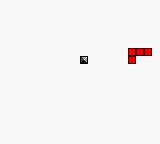
The game loads when you press Play · press “Play Now” inside the game if it asks.
Klustar (USA)
Klustar
What is Klustar?
- Game Boy Color
- Puzzle
- 5· 0 votes
GAME INFO
- Platform
- Game Boy Color
- Genre
- Puzzle
- Released
- 1999
- Players
- 1
- Region
- USA
How to play Klustar online
Getting Started
When you boot up Klustar, the title screen leads directly into gameplay. Pieces fall from the top of a well-shaped grid, and your job is to move and rotate each one so it matches one of the target patterns shown on the side of the screen. There's no story mode - just endless or level-based play where you clear patterns to survive. The game starts slow to give you a feel for the piece shapes and how they fit the patterns.
The core loop is simple: a piece appears, you guide it into position, and when you completely fill a pattern that shape vanishes and you earn points. If the pile reaches the top, it's game over. Patterns vary in complexity - some are symmetrical, others need careful alignment. The game doesn't punish you for taking your time, but speed is rewarded with higher scores. There are no bombs or special blocks; it's pure pattern-matching discipline.
New players should focus on learning the few basic pattern shapes first. Unlike Tetris, you aren't required to clear full rows - just match the displayed icons. If a piece doesn't seem to fit any current pattern, you can rotate it more than once or move it left/right until it clicks. The game offers a brief tutorial on the title screen showing the pattern shapes. Play through a few rounds to get a feel for pacing; it gets hectic fast once multiple patterns appear simultaneously.
CONTROLS
Controls
- Arrow Keys: D-Pad / Movement
- X: A button (jump / confirm)
- S: B button (run / attack / cancel)
- Enter: Start / Pause
- V: Select
Klustar FAQ
Roughly how long does it take to finish Klustar?
Klustar is an endless puzzle game with no final level or credits. A typical session lasts anywhere from 10 to 30 minutes, depending on your skill and how long you can keep the board from filling up. There's no campaign to complete, so playtime is open-ended.
Is Klustar exclusive to Game Boy Color or did it appear on other systems?
Klustar was only released for the Game Boy Color in 1999. It did not appear on any other console or handheld. No ports or re-releases have been documented.
Is Klustar considered easy to pick up or challenging?
The rules are very straightforward - match patterns to clear blocks - so anyone can start playing within a minute. However, as the speed increases and multiple patterns overlap, the difficulty ramps up significantly. It's easy to learn but can become quite tough for players aiming for high scores.
You may also like
All Game Boy Color games











GAME INFO
- Platform
- Game Boy Color
- Genre
- Puzzle
- Released
- 1999
- Players
- 1
- Region
- USA
COMMENTS (0)
No comments yet. Be the first to share your thoughts.