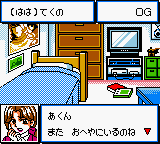
The game loads when you press Play · press “Play Now” inside the game if it asks.
Choro Q - Hyper Customable GB (Japan)
Choro Q - Hyper Customable GB
Choro Q - Hyper Customable GB Overview
- Game Boy Color
- Racing
- 5· 0 votes
Controls
- Arrow Keys = D-Pad (steer, navigate menus)
- X = A button (confirm, accelerate)
- S = B button (brake, cancel)
- Z = Y button (not used in most modes)
- A = X button (not used)
- Q = L shoulder (look behind)
- E = R shoulder (not used)
- Enter = Start (pause menu)
- V = Select (not used)
Getting Started
When you first start the game, you'll see a Japanese title screen - press Start to proceed. The main menu has options like Grand Prix, Free Race, Time Attack, and a Garage section for customization. Since the menus are in Japanese, look for the car icon to enter the garage. There you can buy new cars and parts using in-game currency earned from races.
Head into Grand Prix first. You'll choose a starting car (you can change later) and then race through a series of tracks. Before each race, you're taken to a tuning screen where you can swap parts - pay attention to the stat bars (speed, acceleration, handling, grip). Adjusting these based on whether the track is winding or straight will help a lot. The races themselves are standard top-down view racing, with a map at the top showing your position.
A few tips: Don't skip the tutorial messages even if they're in Japanese - the icons will teach you basic controls. Save up money to buy the better cars early, as the default one is slow. If you get stuck, try different tire compounds for dirt vs. asphalt tracks. The game is short - you can finish the main Grand Prix in a few hours - but the customization and time trials add replay value.
FAQ Roughly how long does it take to finish Choro Q - Hyper Customable GB? Completing the main Grand Prix mode takes roughly 2 to 4 hours, depending on your skill and how much you customize. Unlocking all parts and cars can extend playtime to around 8 hours. Does Choro Q - Hyper Customable GB have a multiplayer or co-op mode? No multiplayer or co-op modes are present. The game is strictly single-player, focusing on solo racing and customization. Who developed Choro Q - Hyper Customable GB? The developer is not widely documented, but the game was published by Takara, which handled many Choro Q titles of that era.GAME INFO
- Platform
- Game Boy Color
- Genre
- Racing
- Players
- 1
- Region
- Japan
How to play Choro Q - Hyper Customable GB online
Getting Started
When you first start the game, you'll see a Japanese title screen - press Start to proceed. The main menu has options like Grand Prix, Free Race, Time Attack, and a Garage section for customization. Since the menus are in Japanese, look for the car icon to enter the garage. There you can buy new cars and parts using in-game currency earned from races.
Head into Grand Prix first. You'll choose a starting car (you can change later) and then race through a series of tracks. Before each race, you're taken to a tuning screen where you can swap parts - pay attention to the stat bars (speed, acceleration, handling, grip). Adjusting these based on whether the track is winding or straight will help a lot. The races themselves are standard top-down view racing, with a map at the top showing your position.
A few tips: Don't skip the tutorial messages even if they're in Japanese - the icons will teach you basic controls. Save up money to buy the better cars early, as the default one is slow. If you get stuck, try different tire compounds for dirt vs. asphalt tracks. The game is short - you can finish the main Grand Prix in a few hours - but the customization and time trials add replay value.
CONTROLS
Controls
- Arrow Keys: D-Pad / Movement
- X: A button (jump / confirm)
- S: B button (run / attack / cancel)
- Enter: Start / Pause
- V: Select
Choro Q - Hyper Customable GB FAQ
Roughly how long does it take to finish Choro Q - Hyper Customable GB?
Completing the main Grand Prix mode takes roughly 2 to 4 hours, depending on your skill and how much you customize. Unlocking all parts and cars can extend playtime to around 8 hours.
Does Choro Q - Hyper Customable GB have a multiplayer or co-op mode?
No multiplayer or co-op modes are present. The game is strictly single-player, focusing on solo racing and customization.
Who developed Choro Q - Hyper Customable GB?
The developer is not widely documented, but the game was published by Takara, which handled many Choro Q titles of that era.
You may also like
All Game Boy Color games











GAME INFO
- Platform
- Game Boy Color
- Genre
- Racing
- Players
- 1
- Region
- Japan
COMMENTS (0)
No comments yet. Be the first to share your thoughts.