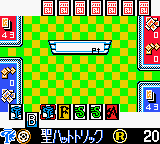
The game loads when you press Play · press “Play Now” inside the game if it asks.
Bikkuriman 2000 - Charging Card GB (Japan)
Bikkuriman 2000 - Charging Card GB
Bikkuriman 2000 - Charging Card GB on GBC
- Game Boy Color
- Strategy
- 5· 0 votes
GAME INFO
- Platform
- Game Boy Color
- Genre
- Strategy
- Region
- Japan
More Bikkuriman Games
Ready for another round? Explore more Bikkuriman games and console editions. Choose a game below to play it on its own page.
How to play Bikkuriman 2000 - Charging Card GB online
Getting Started
When you boot up Bikkuriman 2000, you'll be greeted by a title screen entirely in Japanese. Use the D-Pad to navigate and press the X key (A button) to confirm selections. The first screen likely prompts you to start a new game or continue from a saved file. If the game uses a battery save (common for GBC games), it will load your previous progress.
The core loop involves selecting cards from your collection to form a deck, then entering battles against AI opponents. Each card probably has a type, power, or special ability. During a match, you'll choose which card to play each turn. Watch the opponent's moves and try to counter their strategy. The victory screen will award you new cards or points. Since everything is in Japanese, you'll learn through trial and error which buttons advance dialogue or confirm card selections.
If you get stuck, experiment with the menu options: the top option in a list is usually "New Game" or "Battle." The Save option is typically found by pressing Start on the main screen. Remember that the S key cancels or goes back, so use that to exit unintended menus. With patience, you can enjoy the game even without understanding every kanji.
CONTROLS
Controls
- Arrow Keys: D-Pad / Movement
- X: A button (jump / confirm)
- S: B button (run / attack / cancel)
- Enter: Start / Pause
- V: Select
Bikkuriman 2000 - Charging Card GB FAQ
Who developed Bikkuriman 2000 - Charging Card GB?
The developer is not widely documented in accessible records. It was likely produced by a Japanese studio under license from the Bikkuriman franchise owners, but no specific company name is consistently attached to this Game Boy Color title.
Is Bikkuriman 2000 - Charging Card GB an official release, a fan hack, a prototype, or another kind of build?
It appears to be an official commercial release for the Game Boy Color, sold only in Japan around the year 2000. No evidence suggests it is a hack, prototype, or fan-made project.
Is Bikkuriman 2000 - Charging Card GB considered easy to pick up or challenging?
For players familiar with the Bikkuriman card game mechanics, the basic rules are straightforward. However, the all-Japanese menus and lack of English documentation make it challenging for non-readers. The game's difficulty curve is typical of handheld card battlers of the period.
You may also like
All Game Boy Color games











GAME INFO
- Platform
- Game Boy Color
- Genre
- Strategy
- Region
- Japan
COMMENTS (0)
No comments yet. Be the first to share your thoughts.