The game loads when you press Play · press “Play Now” inside the game if it asks.
Tonkachi Editor (Japan) (Unl)
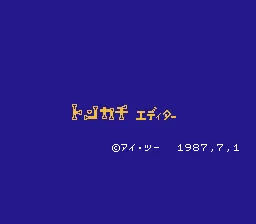
Tonkachi Editor
About Tonkachi Editor
- Famicom Disk System
- Simulation
- Unlicensed
- 5· 0 votes
GAME INFO
- Platform
- Famicom Disk System
- Genre
- Simulation
- Region
- Japan
How to play Tonkachi Editor online
CONTROLS
Controls
- Arrow Keys: D-Pad / Movement
- X: A button (jump / confirm)
- S: B button (run / attack / cancel)
- Enter: Start / Pause
- V: Select
Tonkachi Editor FAQ
Is Tonkachi Editor considered easy to pick up or challenging?
Without a manual or known user interface breakdown, the difficulty is hard to assess. As a utility, it likely has its own learning curve depending on the task it performs. For someone familiar with FDS tools or Japanese menus, it may be straightforward. For others, the language barrier alone makes it challenging.
Is Tonkachi Editor exclusive to Famicom Disk System or did it appear on other systems?
All available evidence points to Tonkachi Editor being exclusive to the Famicom Disk System. No ports or versions for other platforms have been documented. Its unlicensed status and Japan-only release further support that it never left the FDS ecosystem.
Who developed Tonkachi Editor?
The developer of Tonkachi Editor is not widely documented. Like many unlicensed FDS titles, the creator is often unknown or lost to time. No credible sources list a specific person or studio that worked on this editor.
You may also like
All Famicom Disk System games Aki to Tsukasa no Fushigi no Kabe
 Yume Koujou - Doki Doki Panic
 Bishoujo Hanafuda Club Vol.2 - Koikoi Bakappana Hen
 Bishoujo Shashinkan - Studio Cut
 Bishoujo Sexy Slot
 Bishoujo Hanafuda Club Vol.1 - Oichokabu Hen
 Transformers - The Headmasters
 Bakutoushi Patton-kun
 Aliens - Alien 2
 Tenshitachi no Houkago
 Backgammon
 Chitei Tairiku Ordola
GAME INFO
- Platform
- Famicom Disk System
- Genre
- Simulation
- Region
- Japan
COMMENTS (0)
No comments yet. Be the first to share your thoughts.