Famicom Tantei Club Part II - Ushiro ni Tatsu Shoujo - Zenpen (Japan) (Beta)
Famicom Tantei Club Part II - Ushiro ni Tatsu Shoujo - Zenpen (Japan) (Beta) on FDS
This is a beta version of Famicom Tantei Club Part II: Ushiro ni Tatsu Shoujo - Zenpen, an adventure game for the Famicom Disk System. Released only in Japan in 1989 (the final version hit shelves that year), it was developed and published by Nintendo. The series is a point-and-click style visual novel where you solve a mystery by interrogating characters, gathering clues, and piecing together events. This particular ROM is a pre-release build, meaning it likely contains differences from the commercial release - things like test dialogue, unused assets, or early puzzle logic. It's a rare glimpse behind the curtain at how Nintendo's first-party adventure game was fine-tuned before launch.
How to Play Famicom Tantei Club Part II - Ushiro ni Tatsu Shoujo - Zenpen (Japan) (Beta) Online
Getting Started
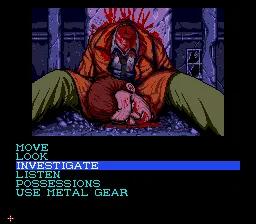
This is a text-driven adventure where you navigate menus to talk, look, move, and use items. Everything is in Japanese, so a basic understanding of the language or a guide is helpful. Start by moving the cursor with the D-Pad over the on-screen command list (such as "調べる" for examine or "話す" for talk) and press X to select. Use the arrow keys to move between locations on the map or to highlight characters.
The core loop is simple: explore areas, talk to people, collect key words or items, and choose the right dialogue options to advance the plot. Pay attention to context; wrong actions may loop you back. Since this is a beta, you might encounter oddities like untranslated text or unfinished scenes. Save states are your friend - use them often in case the game freezes or you hit a dead end. If you get stuck, try examining everything and exhausting all dialogue branches.
Famicom Tantei Club Part II - Ushiro ni Tatsu Shoujo - Zenpen (Japan) (Beta) Keyboard Controls
Controls
- Arrow Keys: D-Pad / Movement
- X: A button (jump / confirm)
- S: B button (run / attack / cancel)
- Enter: Start / Pause
- V: Select



Comments (0)