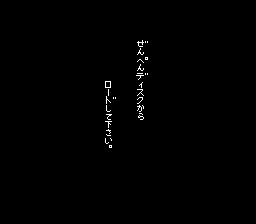
Famicom Mukashibanashi - Shin Onigashima - Kouhen (Japan) (Virtual Console)
Getting to Know Famicom Mukashibanashi - Shin Onigashima - Kouhen (Japan) (Virtual Console)
Famicom Mukashibanashi - Shin Onigashima - Kouhen is the second part of a text adventure trilogy released for the Famicom Disk System in 1987, exclusively in Japan. Published by Nintendo, it belongs to a series that blends folklore, point-and-click exploration, and light puzzle solving. This Virtual Console re-release preserves the original experience with no changes, making it accessible on modern hardware while retaining the quirks of the disk-based original.
Players navigate a world inspired by Japanese mythology, moving between hand-drawn locations by selecting verbs or keywords from a text menu. The core gameplay involves examining scenery, picking up items, and conversing with characters to unravel a story about Oni (demons) and a shrine maiden. Success relies on understanding the environment and applying the right command at the right time. There is no combat; progression comes entirely from solving narrative puzzles.
For fans of retro adventure games, Shin Onigashima - Kouhen offers a rare glimpse into Nintendo's early work in the genre on the FDS. Its atmospheric presentation and deliberate pacing stand in contrast to action-heavy titles of the era. Because the game is entirely in Japanese, non-fluent players may find it challenging, but those with language skills or a guide will discover a thoughtful, story-rich experience that remains a cult favorite among FDS collectors.
How to Play Famicom Mukashibanashi - Shin Onigashima - Kouhen (Japan) (Virtual Console) Online
Getting started: When you first load the game, you'll see a title screen. Press the Start button (Enter) to begin. The game presents a static image of a location and a text box describing what you see. At the bottom of the screen, a cursor appears next to a prompt. Use the Arrow Keys (D-Pad) to cycle through available verbs or items, then press Z (Y button) or X (A button) to select and confirm your choice. The game is entirely menu-driven so no typing is required, but all text is in Japanese.
The core loop is straightforward: explore each screen by examining objects, talking to characters, and using items in logical ways. Pay close attention to dialogue and environmental descriptions, as hints are often embedded in the text. You can move between areas by selecting exit directions or interacting with doors. If you get stuck, try every combination of verb and object; the game expects specific actions. Save your progress using the FDS save feature (often triggered by selecting a menu option). Since it is a Japanese title, having a walkthrough or basic reading ability is very helpful for progression.
Famicom Mukashibanashi - Shin Onigashima - Kouhen (Japan) (Virtual Console) Keyboard Controls
Controls
- Arrow Keys: D-Pad / Movement
- X: A button (jump / confirm)
- S: B button (run / attack / cancel)
- Enter: Start / Pause
- V: Select


Comments (0)