The game loads when you press Play · press “Play Now” inside the game if it asks.
Dot E Creator Contest (Japan)
Dot E Creator Contest
Getting to Know Dot E Creator Contest
- Famicom Disk System
- Educational
- Unknown
- 5· 0 votes
GAME INFO
- Platform
- Famicom Disk System
- Genre
- Educational
- Players
- 1
- Region
- Japan
How to play Dot E Creator Contest online
Getting Started
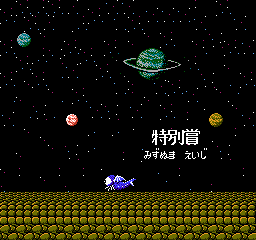
When the game boots, you'll see a title screen in Japanese. Press Start to proceed. The main menu likely offers options like "Create," "Load," or "Contest." Use the D-Pad to move the cursor and press A (X key) to select. If you choose Create, you'll enter a blank grid. Move around with the D-Pad, and press A to place a dot of the current color. Press B (S key) to toggle colors or erase. Experiment with the function keys - the interface is all in Japanese, so memorizing the layout takes a few tries.
Your goal is to make a small pixel picture, then save it. The contest mode may let you submit finished works to an in-game judge or view sample art. Since this disk relies on the Famicom Disk System's save functionality, you can write your creations back to the disk if you're playing on original hardware. In emulation, saves are handled automatically. There are no enemies or timers, just pure creation.
For a first session, start a new file, pick a color, and draw a simple shape like a square or a smiley face. Explore the menu buttons to see what each does. Without English guidance, the process is trial-and-error, but the controls are intuitive enough for anyone familiar with paint programs. The core loop is simply: draw, save, maybe compare with others.
CONTROLS
Controls
- Arrow Keys: D-Pad / Movement
- X: A button (jump / confirm)
- S: B button (run / attack / cancel)
- Enter: Start / Pause
- V: Select
Dot E Creator Contest FAQ
Which regions was Dot E Creator Contest released in?
It was released exclusively in Japan. There is no known US or European version.
Roughly how long does it take to finish Dot E Creator Contest?
There is no defined finish line. A single drawing can be made in 5 - 10 minutes, but players may spend hours across multiple sessions creating art. The game is open ended.
Is Dot E Creator Contest exclusive to Famicom Disk System or did it appear on other systems?
It appears to be exclusive to the Famicom Disk System. No ports or releases on other consoles or computers have been documented.
You may also like
All Famicom Disk System games Aki to Tsukasa no Fushigi no Kabe
 Yume Koujou - Doki Doki Panic
 Bishoujo Hanafuda Club Vol.2 - Koikoi Bakappana Hen
 Bishoujo Shashinkan - Studio Cut
 Bishoujo Sexy Slot
 Bishoujo Hanafuda Club Vol.1 - Oichokabu Hen
 Transformers - The Headmasters
 Bakutoushi Patton-kun
 Aliens - Alien 2
 Tenshitachi no Houkago
 Backgammon
 Chitei Tairiku Ordola
GAME INFO
- Platform
- Famicom Disk System
- Genre
- Educational
- Players
- 1
- Region
- Japan
COMMENTS (0)
No comments yet. Be the first to share your thoughts.