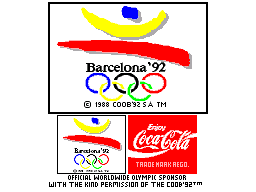
Olympic Gold (Europe) (En,Fr,De,Es,It,Nl,Pt,Sv) (v1.1)
What is Olympic Gold (Europe) (En,Fr,De,Es,It,Nl,Pt,Sv) (v1.1)?
Olympic Gold is an officially licensed Sega Game Gear title that tied into the 1992 Barcelona Summer Olympics. Published and developed by U.S. Gold, this European release (v1.1) came out the same year as the games themselves, with multilingual support including English, French, German, Spanish, Italian, Dutch, Portuguese, and Swedish. It's a straightforward sports compilation that drops you into a handful of track and field events, aiming to recreate the excitement of the real competition in a portable format.
You control an athlete through events like the 100m dash, long jump, javelin, and more. Each event relies on timing button presses or mashing buttons to build speed or execute precise actions. The game splits into a practice mode and a championship mode where you try to qualify and medal across the events. There's no deep story or character customization - just pick your country, listen to the digitized national anthem, and go for gold.
As a licensed sports game from the early '90s, Olympic Gold holds up as a decent time capsule of how developers handled Olympic tie-ins on handhelds. It's not as deep or polished as console versions, but it's one of the few ways to play a multi-event Olympic game on the Game Gear. If you're into retro sports titles or collecting official Olympics games, this is worth a few runs - just don't expect the precision of modern sports sims.
How to Play Olympic Gold (Europe) (En,Fr,De,Es,It,Nl,Pt,Sv) (v1.1) Online
Getting Started
When you boot up Olympic Gold, you'll see a title screen with a few options. Press Start to go to the main menu where you can choose between Practice or Championship mode. In Championship mode, you first select a country to represent - this affects nothing gameplay-wise but adds a bit of flavor with a short anthem. After that, you pick your first event from a list of available ones.
Each event uses a different control scheme. For running events like the 100m, you rapidly tap the A button (X key) to accelerate and then hold it to maintain speed. For field events like the javelin or long jump, timing is everything: press the button to start the run-up, then hit it again at the right moment to throw or jump. The game gives you a few visual cues, but you'll need a little practice to nail the rhythm. You can adjust the difficulty and number of events at the start of a championship run.
If you're playing alone, you compete against AI opponents. The goal is to finish in the top three in each event to advance. The game tracks your medals and best performances. There's no save feature - once you turn off the system (or close the emulator), your progress is gone. So plan to finish a full championship in one sitting if you want the full Olympic experience.
Olympic Gold (Europe) (En,Fr,De,Es,It,Nl,Pt,Sv) (v1.1) Keyboard Controls
Controls
- Arrow Keys: D-Pad / Movement
- X: Button 1
- S: Button 2
- Enter: Start / Pause






Comments (0)