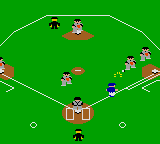
Gear Stadium (Japan)
Gear Stadium (Japan) - Sports Classic
Gear Stadium is a sports game released for the Sega Game Gear exclusively in Japan. It arrived during the early 1990s, a time when handheld gaming was booming and sports titles were a staple of the library. The game was published by Sega, the same company behind the Game Gear itself, though specific developer details are not widely documented.
In Gear Stadium, players take control of a baseball team and compete in matches against the computer or, via the system's link cable, against another player. The gameplay revolves around pitching, batting, and fielding, with simple controls suited for the handheld's compact buttons. Matches follow standard baseball rules, and players can select teams, adjust lineups, and execute plays using the D-Pad and action buttons. The game's pace is typical of early sports titles for the system, offering a straightforward arcade-like experience rather than deep simulation.
Today, Gear Stadium holds interest mainly for collectors of Japanese Game Gear games and fans of retro sports titles. It is not a groundbreaking entry in the genre, but it captures the era's charm with its pixel art and simple mechanics. If you enjoy retro baseball games from the 8-bit or 16-bit era, this is a solid pick for a quick handheld match. Its regional exclusivity makes it a bit harder to find, but emulation makes it accessible to curious players.
How to Play Gear Stadium (Japan) Online
Getting Started
When you boot up Gear Stadium, you'll be greeted by a title screen followed by a menu entirely in Japanese. Most options are standard for a sports game: versus mode, season, or options. Press Enter to start, and use the D-Pad and A button to navigate menus. If you cannot read Japanese, trial and error will work - select the first option typically starts a quick match against the computer.
Once in a game, you control the pitcher by selecting pitch type and location with the D-Pad, then pressing the A button to throw. As the batter, time your swing with the pitch by pressing the A button again. Fielding is automated to an extent, but you can move the fielder with the D-Pad to catch or retrieve balls. The core loop involves alternating between offense and defense each half-inning, aiming to score more runs than the opponent by the end of nine innings.
If you have a second Game Gear and a link cable, you can compete head-to-head by selecting the versus option from the menu. The game is straightforward once you learn the button layout, but expect a learning curve if you are unfamiliar with Japanese menus. There are no save features, so complete your game in one sitting or pause using the Start button.
Gear Stadium (Japan) Keyboard Controls
Controls
- Arrow Keys: D-Pad / Movement
- X: Button 1
- S: Button 2
- Enter: Start / Pause






Comments (0)