CHOOSE A VERSION
3 versions · same consoleChoose an original release, regional version, revision, bootleg or clearly labelled ROM hack/mod, then press Play. Hacks may change the gameplay. Switching versions restarts the player.
Selected: Default · USA · USA
The game loads when you press Play · press “Play Now” inside the game if it asks.
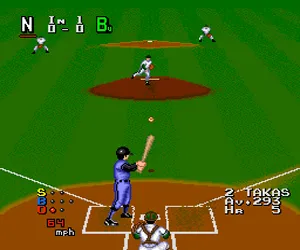
World Class Baseball (USA)
World Class Baseball
World Class Baseball on TG16
- NEC TURBOGRAFX-16
- Sports
- 5· 0 votes
GAME INFO
- Platform
- NEC TURBOGRAFX-16
- Genre
- Sports
- Developer
- Hudson
- Released
- 1988
- Players
- 1-2
- Region
- USA
How to play World Class Baseball online
CONTROLS
Controls
- Arrow Keys: D-Pad / Movement
- X: I button
- S: II button
- Enter: Run / Start
- V: Select
World Class Baseball FAQ
Who developed World Class Baseball?
Hudson Soft developed the game. They were the primary developer behind many early PC Engine and Turbografx-16 titles.
Which regions was World Class Baseball released in?
It was released in Japan under the title Power League and in North America as World Class Baseball. There is no known European release.
Does World Class Baseball have a multiplayer or co-op mode?
It includes a two-player versus mode where one player controls the home team and the other the away team. It does not have a co-op mode where both players are on the same team.
You may also like
All NEC TURBOGRAFX-16 games











GAME INFO
- Platform
- NEC TURBOGRAFX-16
- Genre
- Sports
- Developer
- Hudson
- Released
- 1988
- Players
- 1-2
- Region
- USA
COMMENTS (0)
No comments yet. Be the first to share your thoughts.