TV Sports Hockey (Japan)
TV Sports Hockey (Japan): TG16 Sports
TV Sports Hockey is a sports game for the NEC TurboGrafx-16 that was released exclusively in Japan. It belongs to the TV Sports series, a line of arcade-style athletic titles for the platform. The exact release year and the developer behind it are not widely documented, but it stands as a straightforward ice hockey simulation from the late 80s or early 90s.
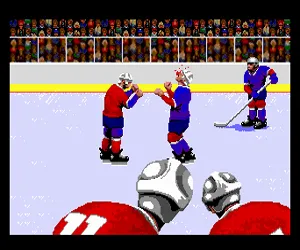
On the ice, you control a team of hockey players in a 2D overhead view. The objective is to outscore the opponent by shooting the puck into their net. You can skate, pass the puck, and shoot. The game also includes basic goalie control when the opponent attacks. Matches are divided into periods, with face-offs restarting play after goals or stoppages. It follows standard hockey rules, including penalties for infractions like offsides or icing.
For a retro hockey fan, TV Sports Hockey offers a simple, pick-up-and-play experience that captures the fast-paced arcade style of its era. It does not have the depth of modern hockey games, but the quick matches and responsive controls make it worth a few rounds. If you enjoy other TurboGrafx-16 sports titles or early 90s console hockey, this Japanese release is a neat piece of the system's library, though it never saw a Western release.
How to Play TV Sports Hockey (Japan) Online
You start by pressing Enter to reach the title screen. Since this is a Japanese-only release, the menus are entirely in Japanese. The main menu typically lets you choose between a single-player game against the computer or a two-player versus mode. Use the D-Pad to navigate and X to confirm your selection. The game will then proceed to a team selection screen where you pick your side.
Once the match begins, you control your team on the ice. Use the D-Pad to move your player, S to pass or shoot the puck, and X to switch control to a different skater. The core loop consists of stealing the puck from the opponent, passing to open teammates, and taking shots on goal. The AI opponent plays a typical arcade-style game, so don't expect deep strategy. If you want to pause during play, press Enter again.
Because the interface is in Japanese, it helps to memorize the layout of the menus. For instance, the first option is usually Start Game, the second is Options, and the third is a two-player mode. If you mistakenly select the wrong option, use V (Select) to go back. Stick with simple controls and focus on shooting when you have a clear lane toward the goal.
TV Sports Hockey (Japan) Keyboard Controls
Controls
- Arrow Keys: D-Pad / Movement
- X: I button
- S: II button
- Enter: Run / Start
- V: Select






Comments (0)