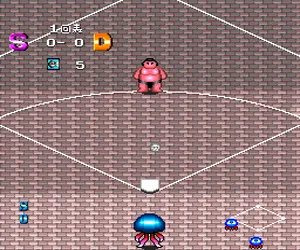
The game loads when you press Play · press “Play Now” inside the game if it asks.
KickBall (Japan)
KickBall
Getting to Know KickBall
- NEC TURBOGRAFX-16
- Sports
- 5· 0 votes
GAME INFO
- Platform
- NEC TURBOGRAFX-16
- Genre
- Sports
- Region
- Japan
How to play KickBall online
CONTROLS
Controls
- Arrow Keys: D-Pad / Movement
- X: I button
- S: II button
- Enter: Run / Start
- V: Select
KickBall FAQ
Does KickBall have a multiplayer or co-op mode?
Documentation for this game is sparse, but typical sports titles on the PC Engine often included a two-player versus mode. Whether KickBall supports cooperative play or only head-to-head is not confirmed. Without a reliable source, it's safer to assume single-player only until proven otherwise.
Is there anything iconic or memorable about KickBall?
KickBall is not widely remembered among TurboGrafx-16 classics. Its obscurity comes from being a Japan-exclusive sports game with no major ports or sequels. The title itself might evoke nostalgia for Japanese schoolyard games, but it lacks standout visual or audio elements that made other PC Engine titles famous.
Is KickBall considered easy to pick up or challenging?
The game likely follows simple arcade sports rules - move, kick, score. Such titles from the late 80s were designed to be accessible, with short matches and basic controls. The challenge probably comes from AI difficulty and the need to time kicks and passes accurately, but nothing extreme. Without detailed reports, it's fair to call it a casual, pick-up-and-play experience.
You may also like
All NEC TURBOGRAFX-16 games











GAME INFO
- Platform
- NEC TURBOGRAFX-16
- Genre
- Sports
- Region
- Japan
COMMENTS (0)
No comments yet. Be the first to share your thoughts.