Zoo Tycoon DS (Europe)
Inside Zoo Tycoon DS (Europe)
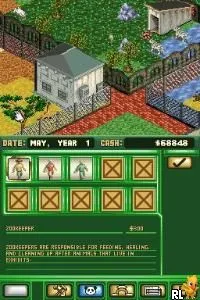
Zoo Tycoon DS (Europe) is a simulation game that was released for the Nintendo DS. It is part of the popular Zoo Tycoon franchise, which is known for allowing players to create and manage their own zoos. This handheld version was developed to fit the platform's capabilities, providing a unique experience distinct from its PC counterparts.
In Zoo Tycoon DS, players take on the role of a zoo manager, where the primary objective is to build and maintain a successful zoo. Players can design exhibits, care for animals, and manage finances to ensure the zoo's growth. The gameplay revolves around strategic planning and resource management, as players need to keep both the animals and the visitors happy to thrive.
This title is worth trying today for fans of simulation games, especially those who enjoy management and strategy elements. While it may not have the same depth as the PC versions, it offers a charming experience that captures the essence of zoo management. Compared to similar games of its time, Zoo Tycoon DS stands out for its accessibility and the unique challenges posed by the DS platform, making it a nostalgic pick for retro gaming enthusiasts.
How to Play Zoo Tycoon DS (Europe) Online
Getting started with Zoo Tycoon DS involves selecting a mode to begin your zoo management experience. You will typically start with a small amount of funds and a few basic animals. As you progress, the core loop revolves around expanding your zoo, acquiring new animals, and ensuring that your exhibits meet the needs of both the wildlife and your visitors.
It's important to pay attention to the happiness of the animals as well as the satisfaction of your guests. Balancing your budget while upgrading facilities and creating appealing exhibits is key to success. Familiarize yourself with the various management options available and consider visitor feedback to make informed decisions about your zoo's development.
Zoo Tycoon DS (Europe) Keyboard Controls
Controls
- Arrow Keys — D-Pad / Movement
- X — A button
- S — B button
- Z — Y button
- A — X button
- Q — L shoulder
- E — R shoulder
- Enter — Start
- V — Select






Comments (0)