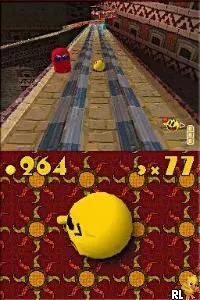
Zhu Zhu Pets (Europe)
Zhu Zhu Pets (Europe) on NDS
Zhu Zhu Pets (Europe) is a simulation game released for the Nintendo DS platform, based on the popular Zhu Zhu Pets toy franchise. The game was developed to appeal to younger audiences, allowing players to care for and play with virtual pets. Released in Europe, it fits within the casual gaming genre prevalent during the DS era, where family-friendly titles flourished.
In the game, players interact with their Zhu Zhu Pets in a variety of ways, including feeding, grooming, and playing mini-games. The mechanics are straightforward, focusing on nurturing and maintaining the happiness of the pets. Players explore different environments, unlocking new areas and activities as they progress, which is typical of simulation games during this period.
Zhu Zhu Pets (Europe) is worth trying for those interested in nostalgic casual games or fans of the toy line. While it may not have the depth of other simulation titles, it captures the essence of pet care in a fun, lighthearted manner. This game is a nice addition to the Nintendo DS library, especially for younger players or collectors looking to experience the era's simpler gaming experiences.
How to Play Zhu Zhu Pets (Europe) Online
Getting started with Zhu Zhu Pets involves selecting a pet and customizing its environment. Players will spend time caring for their Zhu Zhu Pets by feeding them, playing mini-games, and exploring various locations. The core loop revolves around keeping the pets happy and engaged, which is essential for progressing through the game.
As you play, you'll unlock new areas and activities, enhancing your experience and providing new challenges. It's important to keep an eye on your pet's needs and happiness levels, as this will influence your progress. Familiarizing yourself with the controls and the game's mechanics will help you enjoy the lighthearted nature of Zhu Zhu Pets.
Zhu Zhu Pets (Europe) Keyboard Controls
Controls
- Arrow Keys — D-Pad / Movement
- X — A button
- S — B button
- Z — Y button
- A — X button
- Q — L shoulder
- E — R shoulder
- Enter — Start
- V — Select






Comments (0)