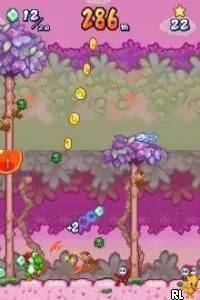
Yoshi Touch & Go (Europe) (En,Fr,De,Es,It)
Yoshi Touch & Go (Europe) (En,Fr,De,Es,It) on NDS
Yoshi Touch & Go is a unique title for the Nintendo DS, released in Europe. Developed by Nintendo, it falls into the puzzle genre, showcasing the innovative use of the DS's touch screen capabilities. This game stands out as a creative experience, reflecting the experimental nature of early DS titles, although it is not a hack or mod.
In Yoshi Touch & Go, players guide Yoshi and Baby Mario through various levels using touch controls. The gameplay primarily revolves around drawing platforms and manipulating the environment to help the characters navigate obstacles. This title combines elements of action and puzzle-solving, emphasizing quick reflexes and strategic thinking, which was a hallmark of many games released during the DS era.
What makes Yoshi Touch & Go worth trying today is its inventive use of the DS hardware and its light, accessible gameplay. While it may not offer the depth of some larger titles, it provides a fun, engaging experience that can be enjoyed in short bursts. Compared to other puzzle games of its time, it holds a unique position due to its reliance on touch mechanics, making it a nostalgic piece of gaming history for fans of the platform.
How to Play Yoshi Touch & Go (Europe) (En,Fr,De,Es,It) Online
Getting started in Yoshi Touch & Go is straightforward. Begin by selecting your game mode, which typically involves guiding Yoshi and Baby Mario through various levels while overcoming obstacles. The core gameplay loop involves drawing platforms and using touch controls to facilitate movement and collect items.
As you play, you'll need to use your stylus to manipulate the environment, which is a key mechanic that defines the experience. Pay attention to the timing and placement of platforms, as they can significantly affect your progress. The game encourages experimentation, so don't hesitate to try different strategies and approaches to tackle challenges.
Yoshi Touch & Go (Europe) (En,Fr,De,Es,It) Keyboard Controls
Controls
- Arrow Keys — D-Pad / Movement
- X — A button
- S — B button
- Z — Y button
- A — X button
- Q — L shoulder
- E — R shoulder
- Enter — Start
- V — Select






Comments (0)