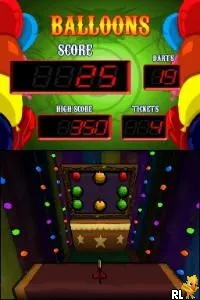
Wonder World - Amusement Park (USA)
Wonder World - Amusement Park (USA): NDS Simulation
Wonder World - Amusement Park is a title for the Nintendo DS, known for its arcade-style gameplay. Released in the USA, it is designed to appeal to fans of simulation and amusement park management games. The game's development details are not widely documented, which adds a layer of mystery to its origins.
In this game, players engage in various mini-games and activities that simulate the experience of managing an amusement park. The gameplay revolves around completing challenges and unlocking new attractions. While specific mechanics are not thoroughly detailed, the focus on engaging gameplay loops and light-hearted fun is a staple of titles in this genre during the Nintendo DS era.
Today, Wonder World - Amusement Park is an interesting title to explore for those who appreciate quirky and niche games from the DS library. While it may not have the same recognition as blockbuster titles, it offers a unique experience that captures the charm of amusement parks. Fans of simulation games will find enjoyment in its simplicity and the nostalgia it evokes, making it worth a try for collectors and enthusiasts alike.
How to Play Wonder World - Amusement Park (USA) Online
To get started with Wonder World - Amusement Park, select your desired mini-game or activity from the main menu. The game features various challenges that will test your skills and provide amusement park experiences. Players typically begin by completing simpler tasks to familiarize themselves with the controls and mechanics.
As you progress, the core loop involves completing challenges to earn points, which can be used to unlock new attractions and mini-games. It’s essential to keep an eye on your goals and to engage with the various attractions available. Exploring different games will enhance your experience and allow you to enjoy the playful vibe that the title aims to deliver.
Wonder World - Amusement Park (USA) Keyboard Controls
Controls
- Arrow Keys — D-Pad / Movement
- X — A button
- S — B button
- Z — Y button
- A — X button
- Q — L shoulder
- E — R shoulder
- Enter — Start
- V — Select






Comments (0)