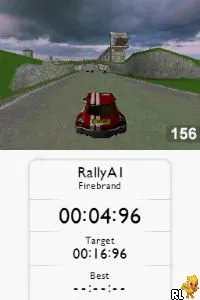
TrackMania DS (Europe) (En,Fr,De,Es,It)
TrackMania DS (Europe) (En,Fr,De,Es,It) on NDS
TrackMania DS is a racing game released in Europe for the Nintendo DS. It was developed by Firebrand Games and is part of the larger TrackMania series, known for its unique approach to racing and track design. The game allows players to experience the exhilarating world of competitive racing on a handheld console, which was quite innovative for its time.
In TrackMania DS, players race against the clock on various tracks, utilizing a simple yet engaging control scheme. The gameplay revolves around time trials where players aim to complete tracks as quickly as possible, often involving jumps, loops, and other challenging obstacles. The game encourages creativity through its track editor, allowing players to design their own courses, which adds a layer of replayability and personalization to the experience.
This title is worth trying today as it captures the essence of arcade-style racing with a unique twist. While it may not have the depth of more modern racing games, its charm lies in its simplicity and the joy of competing against friends' times. Compared to other handheld racers of its era, TrackMania DS stands out for its track-building features and the fun, fast-paced gameplay that can still be enjoyed in short bursts.
How to Play TrackMania DS (Europe) (En,Fr,De,Es,It) Online
Getting started in TrackMania DS is straightforward. After launching the game, players can choose from different modes, including time trials and the track editor. The core loop involves selecting a track, racing against the clock, and aiming to beat personal records or those of friends.
As players progress, they can unlock new tracks and refine their racing skills. The track editor is a key feature, allowing players to create and share their own tracks, enhancing the game's longevity. Familiarizing yourself with the controls and experimenting with different track designs will significantly enhance your experience.
TrackMania DS (Europe) (En,Fr,De,Es,It) Keyboard Controls
Controls
- Arrow Keys — D-Pad / Movement
- X — A button
- S — B button
- Z — Y button
- A — X button
- Q — L shoulder
- E — R shoulder
- Enter — Start
- V — Select

Comments (0)