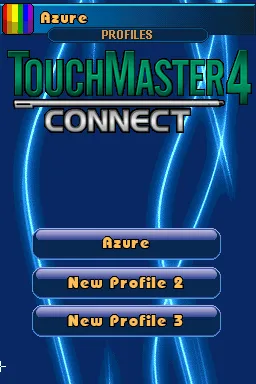
TouchMaster 4 - Connect (Europe) (En,Fr,De,Es,It) (NDSi Enhanced)
TouchMaster 4 - Connect (Europe) (En,Fr,De,Es,It) (NDSi Enhanced) - Puzzle Classic
TouchMaster 4 - Connect is a puzzle game released for the Nintendo DS, specifically designed for the DSi system. It came out in Europe and is notable for its multilingual options, including English, French, German, Spanish, and Italian. This title is part of the TouchMaster series, which is known for its collection of touchscreen-based mini-games that appeal to casual gamers looking for quick entertainment.
In this game, players engage with a variety of mini-games that test their reflexes, puzzle-solving skills, and strategic thinking. The gameplay primarily revolves around using the touchscreen to interact with the game mechanics, which often include matching colors, completing patterns, and solving logic puzzles. Each mini-game offers different challenges, and players can choose which ones to play, allowing for a personalized experience as they work to achieve high scores and unlock additional content.
TouchMaster 4 - Connect holds a special place in the library of Nintendo DS titles due to its engaging and accessible gameplay. It appeals to both casual players and those looking for a quick gaming session. While it may not have the depth or narrative complexity of other games from its era, its charm lies in its simplicity and the variety of mini-games it offers, making it a fun choice for players who enjoy light-hearted gaming experiences.
How to Play TouchMaster 4 - Connect (Europe) (En,Fr,De,Es,It) (NDSi Enhanced) Online
Getting started with TouchMaster 4 - Connect is straightforward. Upon launching the game, you'll be greeted with a menu where you can select from various mini-games. Choose one that appeals to you, and the game will provide instructions on how to play. Understanding the mechanics of each mini-game is essential, as they can vary significantly in terms of objectives and challenges.
The core loop involves selecting a mini-game, playing it to achieve a high score, and then moving on to the next challenge. As you progress, you can unlock additional games and content. It's important to keep an eye on your score and try to beat your previous records, as this adds a layer of competitiveness to the experience. Familiarizing yourself with the touch controls will enhance your performance and enjoyment.
TouchMaster 4 - Connect (Europe) (En,Fr,De,Es,It) (NDSi Enhanced) Keyboard Controls
Controls
- Arrow Keys — D-Pad / Movement
- X — A button
- S — B button
- Z — Y button
- A — X button
- Q — L shoulder
- E — R shoulder
- Enter — Start
- V — Select






Comments (0)