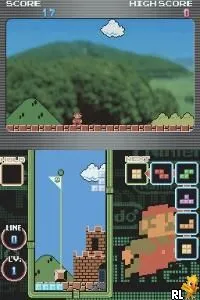
Tetris DS (Korea)
What is Tetris DS (Korea)?
Tetris DS (Korea) is a variant of the classic puzzle game Tetris, released on the Nintendo DS. This particular version was tailored for the Korean market and is an official release by Nintendo, which has a long history of publishing Tetris games. As a puzzle game, it fits neatly into the genre conventions established by its predecessors, focusing on players manipulating falling blocks to create complete lines without gaps.
In Tetris DS, players control a sequence of differently shaped blocks, known as tetrominoes, which fall from the top of the screen. The objective is to rotate and position these blocks to create horizontal lines across the playfield, which then disappear, earning points for the player. The game includes various modes, such as the classic Marathon mode and multiplayer options, providing a mix of solo and competitive gameplay that keeps the experience engaging.
This title is worth a look for both nostalgic players and newcomers to the series. Tetris DS offers a fresh take on the timeless formula, with its unique modes and multiplayer capabilities. While it may not be as groundbreaking as some other DS titles, it remains a solid choice for anyone looking to enjoy a classic puzzle experience on the go, especially in a time when portable gaming was gaining momentum.
How to Play Tetris DS (Korea) Online
To get started with Tetris DS, choose your game mode from the main menu. You can select from options like Marathon, Puzzle, or multiplayer modes. Once you start playing, the core loop revolves around controlling the falling tetrominoes, rotating them as they descend to fit them into gaps and complete lines.
As you play, keep an eye on the next piece indicator to plan your moves ahead. Clearing multiple lines at once can yield higher scores, so try to stack your blocks strategically. Familiarize yourself with the controls to enhance your gameplay experience, and remember, the game speeds up as you progress, adding to the challenge.
Tetris DS (Korea) Keyboard Controls
Controls
- Arrow Keys — D-Pad / Movement
- X — A button
- S — B button
- Z — Y button
- A — X button
- Q — L shoulder
- E — R shoulder
- Enter — Start
- V — Select






Comments (0)