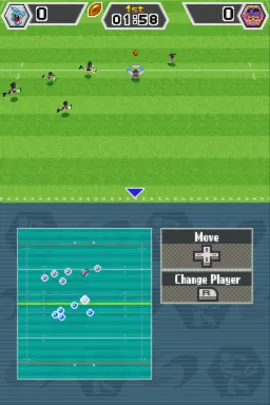
Sports Island DS (Europe) (En,Fr,De,Es,It)
About Sports Island DS (Europe) (En,Fr,De,Es,It)
Sports Island DS is a sports compilation game released for the Nintendo DS in Europe. It was developed by Hudson Soft, known for their work in the sports genre and puzzle games. This title is notable for its inclusion of various mini-games that capture the fun of competitive sports, making it a solid entry for fans of the genre.
In Sports Island DS, players engage in a variety of mini-games that simulate different sports activities, from racing to more traditional games like basketball and volleyball. Each mini-game features easy-to-learn controls, allowing players to jump right in. The gameplay is structured around quick matches, making it accessible for both casual gamers and those looking for a competitive edge.
Today, Sports Island DS is worth trying for those who enjoy light-hearted sports titles. While it may not have the depth of more serious sports simulations, its charm lies in its variety and the fun of competing against friends or AI. It's a nostalgic reminder of the DS era, where multiplayer mini-games were a staple, and it holds a place among other party games of its time, appealing to those looking for a casual gaming experience.
How to Play Sports Island DS (Europe) (En,Fr,De,Es,It) Online
Getting started with Sports Island DS involves selecting a mini-game from the main menu. Players can choose to play solo or with friends, and each mini-game has its own set of rules and objectives. It's advisable to familiarize yourself with the mechanics of each sport to maximize your enjoyment and performance.
The core loop of the game revolves around quick rounds of various sports, allowing players to compete for the best scores. As you progress, you can unlock additional challenges or modes, which keeps the gameplay fresh. Pay attention to the unique mechanics each mini-game offers; mastering them will enhance your overall experience.
Sports Island DS (Europe) (En,Fr,De,Es,It) Keyboard Controls
Controls
- Arrow Keys — D-Pad / Movement
- X — A button
- S — B button
- Z — Y button
- A — X button
- Q — L shoulder
- E — R shoulder
- Enter — Start
- V — Select






Comments (0)