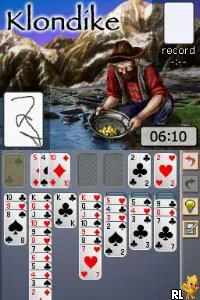
Solitaire (Europe) (En,Fr,De,Es,It)
Getting to Know Solitaire (Europe) (En,Fr,De,Es,It)
Solitaire (Europe) (En,Fr,De,Es,It) for the Nintendo DS is a digital adaptation of the classic card game known simply as Solitaire. Released in Europe, this title allows players to experience the timeless gameplay of Solitaire on a portable console. While the specific developer and publisher details aren't widely documented, the game fits within the casual puzzle genre that became popular during the Nintendo DS era.
In this game, players are tasked with organizing a deck of cards into four foundation piles, each representing a suit. The core mechanics involve drawing cards from the deck and strategically placing them in sequence on tableau piles, following the traditional rules of Solitaire. Players must think critically to move cards around and uncover hidden ones, making every decision count as they aim to clear the tableau.
Even though Solitaire may seem simple, it offers a nostalgic appeal that resonates with fans of puzzle games. Its accessibility makes it a great choice for quick gaming sessions, whether you're waiting for a bus or relaxing at home. Compared to other games on the DS, it holds a special place for those who appreciate classic card games, allowing players to unwind and enjoy a bit of strategy without the pressure of fast-paced action.
How to Play Solitaire (Europe) (En,Fr,De,Es,It) Online
To get started, select a game mode from the main menu. Once in the game, you'll see a shuffled deck of cards and several empty spaces for your foundation piles. The objective is to move cards from the tableau to the foundation piles in ascending order, grouping them by suit.
As you play, remember to utilize the draw pile wisely. You can draw cards to help complete your tableau or fill in gaps. The game encourages strategic thinking, so take your time to plan your moves and try to uncover hidden cards. Mastering the mechanics will help you clear the board more efficiently, making it a satisfying challenge.
Solitaire (Europe) (En,Fr,De,Es,It) Keyboard Controls
Controls
- Arrow Keys — D-Pad / Movement
- X — A button
- S — B button
- Z — Y button
- A — X button
- Q — L shoulder
- E — R shoulder
- Enter — Start
- V — Select






Comments (0)