Solitaire DS (Europe) (En,Fr,De,Es,It)
About Solitaire DS (Europe) (En,Fr,De,Es,It)
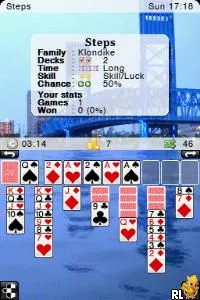
Solitaire DS (Europe) (En,Fr,De,Es,It) is a digital adaptation of the classic card game Solitaire, released for the Nintendo DS. This version is notable for its multilingual support, allowing players to engage with the game in English, French, German, Spanish, and Italian. While the developer and publisher details are not widely documented, the game fits within the casual puzzle genre that became popular during the DS era.
Gameplay in Solitaire DS revolves around the familiar mechanics of classic Solitaire. Players aim to organize the cards into four foundation piles by suit while following specific movement rules. The game offers various modes that mimic the traditional card game experience, allowing for both fun and strategic play as players draw cards and make decisions based on available moves.
Today, Solitaire DS holds a niche appeal for those who enjoy classic card games on handheld devices. While it may not be as flashy as other titles from the era, it provides a straightforward and relaxing gaming experience. For fans of card games, it serves as a great way to unwind and enjoy a timeless pastime, especially when compared to more complex offerings on the platform.
How to Play Solitaire DS (Europe) (En,Fr,De,Es,It) Online
To get started with Solitaire DS, launch the game and choose your preferred language from the available options. Once in the game, you will see the familiar layout of cards. The main objective is to move cards between the tableau, stock, and foundation piles according to the rules of Solitaire, ensuring to build sequences in descending order and alternating colors.
As you play, focus on uncovering hidden cards and strategically managing your moves. The core loop involves drawing cards from the stock and placing them into play while trying to clear the tableau. Understanding when to move cards to the foundation is crucial, as it will help you clear the board efficiently and achieve a win.
Solitaire DS (Europe) (En,Fr,De,Es,It) Keyboard Controls
Controls
- Arrow Keys — D-Pad / Movement
- X — A button
- S — B button
- Z — Y button
- A — X button
- Q — L shoulder
- E — R shoulder
- Enter — Start
- V — Select






Comments (0)