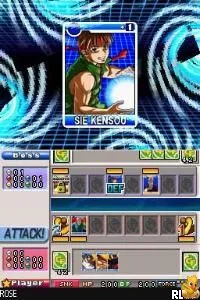
SNK vs. Capcom - Card Fighters DS (USA) (Rev 1)
What is SNK vs. Capcom - Card Fighters DS (USA) (Rev 1)?
SNK vs. Capcom - Card Fighters DS (USA) (Rev 1) is a unique card battling game released for the Nintendo DS. This title is a revision of the original Card Fighters game, blending characters from both SNK and Capcom universes into a strategic card game format. Players can collect and battle with cards featuring iconic fighters from both franchises, making it a standout in the genre during its release period around the mid-2000s.
In the game, players engage in battles using a deck of cards that represent various characters and abilities from the SNK and Capcom libraries. The gameplay revolves around strategic card play, where players must build their decks wisely to outmaneuver their opponents. Players can also trade cards and participate in battles against AI or other players, providing a mix of solo and social gameplay elements that were popular in the era of handheld gaming.
What makes this title worth trying today is its nostalgic appeal and the unique crossover of two beloved gaming franchises. While it may not offer the same depth as traditional fighting games, the card mechanics add a layer of strategy that can be quite engaging. The game occupies a niche spot in the library of DS titles, particularly for fans of both SNK and Capcom, making it a fun diversion for collectors and players who appreciate retro card games.
How to Play SNK vs. Capcom - Card Fighters DS (USA) (Rev 1) Online
To get started in SNK vs. Capcom - Card Fighters DS, first familiarize yourself with the controls and menu layout. The game begins with players selecting their initial deck of cards and characters. The core gameplay loop involves battling against other players or AI by strategically playing cards to defeat your opponent.
SNK vs. Capcom - Card Fighters DS (USA) (Rev 1) Keyboard Controls
Controls
- Arrow Keys — D-Pad / Movement
- X — A button
- S — B button
- Z — Y button
- A — X button
- Q — L shoulder
- E — R shoulder
- Enter — Start
- V — Select
Comments (0)