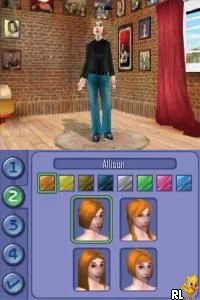
Sims 2, The (Europe) (En,Fr,De,Es,It)
Sims 2, The (Europe) (En,Fr,De,Es,It) Overview
The Sims 2 (Europe) (En,Fr,De,Es,It) for Nintendo DS is a portable adaptation of the popular life simulation game developed by Maxis. Released during the mid-2000s, this title brings the iconic Sims experience to the handheld platform, allowing players to create and manage the lives of virtual people. As part of the broader Sims franchise, it captures the essence of simulation gameplay on a device that was gaining popularity for casual gaming.
In this game, players take on the role of a Sim, guiding them through various aspects of life such as building relationships, pursuing careers, and managing daily tasks. The structure revolves around life simulation mechanics, where you can customize your Sim's appearance and personality, decorate their home, and interact with other Sims in a neighborhood. The game emphasizes player choice, with various activities and events that can influence your Sim's life path and relationships, making each playthrough unique.
What makes The Sims 2 on the DS worth exploring today is its nostalgic value and the way it captures the essence of the Sims experience in a portable format. While it may lack the depth of its console and PC counterparts, it provides a fun and accessible way for fans to engage with the franchise on the go. For those who appreciate simulation games, this title offers a slice of life that can be both entertaining and lighthearted, fitting well within the library of casual gaming experiences of its era.
How to Play Sims 2, The (Europe) (En,Fr,De,Es,It) Online
Getting started in The Sims 2 on the DS involves creating your Sim and customizing their traits and appearance. Once you have your Sim ready, you can explore the neighborhood, interact with other Sims, and engage in various activities that contribute to your Sim's life. The core loop revolves around managing your Sim's needs, building relationships, and developing their skills.
Sims 2, The (Europe) (En,Fr,De,Es,It) Keyboard Controls
Controls
- Arrow Keys — D-Pad / Movement
- X — A button
- S — B button
- Z — Y button
- A — X button
- Q — L shoulder
- E — R shoulder
- Enter — Start
- V — Select






Comments (0)