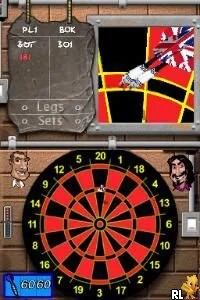
Sega Presents - Touch Darts (Europe)
Inside Sega Presents - Touch Darts (Europe)
Sega Presents - Touch Darts is a sports simulation game released for the Nintendo DS. It came out in Europe and is part of the genre that focuses on dart throwing, a classic pub game. Developed by Sega, this title captures the essence of casual gaming, making it accessible for both newcomers and seasoned players alike.
In this game, players engage in dart competitions, utilizing the Nintendo DS's touch screen to aim and throw darts. The mechanics revolve around precision and timing, with players needing to adjust their throws based on various factors like distance and wind. The control scheme is simple, allowing for easy pick-up-and-play sessions, which is typical of many DS titles from that era.
Touch Darts offers a straightforward and enjoyable experience, especially for those who appreciate sports games. While it may not have the depth or complexity of more renowned titles, it serves as a fun diversion. The game stands out for its emphasis on casual multiplayer, making it a great choice for social gatherings or quick gaming sessions on the go, similar to other sports simulations of its time.
How to Play Sega Presents - Touch Darts (Europe) Online
To get started in Sega Presents - Touch Darts, first select your game mode from the main menu. You can choose between different dart games and competitions, which will determine the rules and objectives for your session. Each mode presents unique challenges, so it's worth trying them all to find what you enjoy most.
The core loop involves aiming your dart with the stylus and releasing it to throw. Pay attention to the target and adjust your power and angle accordingly. As you play, you’ll encounter various competitions that may require you to score a specific number of points or compete against AI opponents. Familiarizing yourself with the controls and practicing your throws will enhance your performance and enjoyment.
Sega Presents - Touch Darts (Europe) Keyboard Controls
Controls
- Arrow Keys — D-Pad / Movement
- X — A button
- S — B button
- Z — Y button
- A — X button
- Q — L shoulder
- E — R shoulder
- Enter — Start
- V — Select






Comments (0)