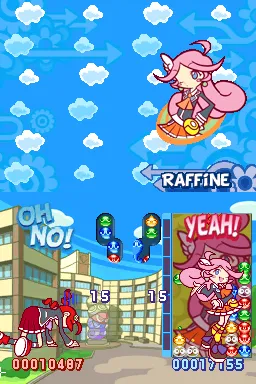
Puyo Puyo 7 (English)
Inside Puyo Puyo 7 (English)
Puyo Puyo 7 (English) is a translation of the popular puzzle game originally released in Japan. It came out for the Nintendo DS, a platform known for its unique dual-screen setup and stylus controls. The game was developed by Sega and is part of the long-running Puyo Puyo series, which has garnered a dedicated fanbase for its engaging gameplay and charming characters.
In Puyo Puyo 7, players engage in a classic puzzle gameplay style, where they must match colored blobs called Puyos to clear them from the screen. The mechanics involve dropping Puyos into a playfield, with the goal of creating groups of four or more of the same color. Players can perform combos and chains to send garbage blocks to their opponents, adding a competitive edge to the experience. The game includes various modes, including single-player and multiplayer, offering a mix of challenges.
This title is worth exploring for fans of the puzzle genre, especially those who appreciate the strategic depth that Puyo Puyo games provide. Its translation allows English-speaking players to enjoy the fun without the language barrier present in the original release. Compared to other puzzle games of its time, Puyo Puyo 7 stands out for its vibrant art style and quirky characters, making it a delightful addition to any retro gaming collection.
How to Play Puyo Puyo 7 (English) Online
To get started in Puyo Puyo 7, choose your game mode from the main menu. If you're new, the tutorial mode can help you understand the basics. The core gameplay loop involves matching Puyos of the same color to clear them and create combos that can affect your opponent.
As you play, keep an eye on the shapes and colors of the Puyos falling into your field. Strategically placing them will help you form larger chains, which can send more garbage to your opponent. Remember, quick thinking and planning ahead are key to mastering the game, so practice makes perfect.
Puyo Puyo 7 (English) Keyboard Controls
Controls
- Arrow Keys — D-Pad / Movement
- X — A button
- S — B button
- Z — Y button
- A — X button
- Q — L shoulder
- E — R shoulder
- Enter — Start
- V — Select






Comments (0)