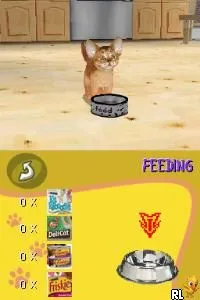
Purr Pals (Europe) (En,Fr,De)
Purr Pals (Europe) (En,Fr,De) on NDS
Purr Pals (Europe) (En,Fr,De) is a life simulation game released for the Nintendo DS. It originated in Europe and is part of a genre that allows players to care for virtual pets. The game was developed during the DS era, which was known for its diverse library of titles catering to various audiences, especially younger players.
In Purr Pals, players engage in activities centered around raising and caring for their own virtual cats. This includes feeding, grooming, and playing with the cats to ensure their happiness and well-being. Players interact with their pets using the DS's touchscreen features, which was a hallmark of many games on the platform, enhancing the immersive experience of pet ownership.
This title is worth exploring today for those who enjoy simulation games and have a fondness for pet care mechanics. While it may not have the depth of some other titles in the genre, it captures a charming and lighthearted essence typical of many DS games aimed at younger audiences. For collectors and fans of retro gaming, Purr Pals represents a slice of the pet simulation craze that was prevalent during the Nintendo DS's peak years.
How to Play Purr Pals (Europe) (En,Fr,De) Online
Getting started in Purr Pals involves selecting your virtual cat and customizing its appearance. After creating your pet, the core loop revolves around fulfilling its needs, such as feeding and playing. You will often return to your pet's area to check on its happiness and health, ensuring you engage with various activities to keep it content.
As you progress, you can unlock different items and activities that enhance your experience. Pay attention to your cat's mood indicators, as they will guide you on what actions to take next. This simple yet engaging gameplay loop is designed to be accessible, making it easy for newcomers to pick up and enjoy.
Purr Pals (Europe) (En,Fr,De) Keyboard Controls
Controls
- Arrow Keys — D-Pad / Movement
- X — A button
- S — B button
- Z — Y button
- A — X button
- Q — L shoulder
- E — R shoulder
- Enter — Start
- V — Select






Comments (0)