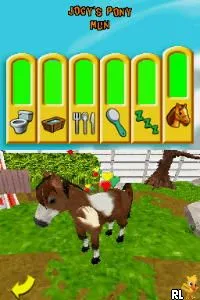
Pony Luv (Europe) (En,Fr,De)
Pony Luv (Europe) (En,Fr,De) on NDS
Pony Luv (Europe) (En,Fr,De) is a simulation game released for the Nintendo DS, a platform known for its family-friendly titles and diverse library. This game, developed by an unknown team, allows players to interact with and care for virtual ponies. It caters to a niche audience who enjoy pet simulation games, particularly those focused on equestrian themes.
In gameplay, players take on the role of a pony caretaker, engaging in various activities such as feeding, grooming, and playing with their virtual ponies. The mechanics revolve around maintaining the ponies' happiness and health, which is typical for simulation games of the era. Players can explore different environments and complete tasks that contribute to their ponies' well-being, making the experience interactive and engaging.
Today, Pony Luv holds a place in the hearts of players who appreciate simple, wholesome games. While it may not be as well-known as other titles on the DS, it shares characteristics with other pet simulation games of its time, like Nintendogs. For those who enjoy a laid-back gaming experience centered around caring for animals, Pony Luv is worth a try, even if it remains a more niche title in the vast library of the Nintendo DS.
How to Play Pony Luv (Europe) (En,Fr,De) Online
To get started with Pony Luv, players should begin by creating or selecting a pony to care for. The core gameplay loop involves performing various tasks to keep the pony happy and healthy, which includes feeding, grooming, and playing with it. Exploring the different areas and fulfilling mini-tasks will help players build a connection with their virtual pet.
As players progress, they will encounter different activities that can enhance their pony's experience. Keeping an eye on the pony's needs and responding accordingly is essential. Familiarizing oneself with the controls and the layout of the game will help in navigating the interactive environments more effectively.
Pony Luv (Europe) (En,Fr,De) Keyboard Controls
Controls
- Arrow Keys — D-Pad / Movement
- X — A button
- S — B button
- Z — Y button
- A — X button
- Q — L shoulder
- E — R shoulder
- Enter — Start
- V — Select






Comments (0)