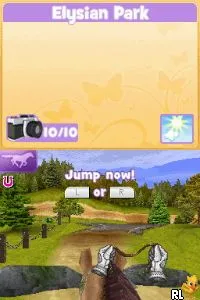
Pony Friends 2 (Europe) (En,Fr,De,Es,It)
What is Pony Friends 2 (Europe) (En,Fr,De,Es,It)?
Pony Friends 2 is a simulation game released for the Nintendo DS, primarily aimed at a younger audience. It was developed by the studio known for creating family-friendly titles and was released in Europe. This title allows players to engage in activities centered around caring for their virtual ponies, building on the concepts established in its predecessor.
In Pony Friends 2, players take on the role of a pony caretaker, managing various aspects of their pony's life. This includes feeding, grooming, and training their pony to participate in different activities. The gameplay is structured around nurturing and developing a bond with the pony, with various mini-games and tasks that enhance the experience, making it interactive and engaging for young players.
This game holds a unique spot in the library of Nintendo DS titles, especially for fans of simulation games. While it may not have the widespread recognition of other franchises, it offers a charming experience for those interested in virtual pet care. Compared to similar games of its era, Pony Friends 2 may appeal more to niche audiences who enjoy gentle gameplay focused on animal companionship rather than action or adventure.
How to Play Pony Friends 2 (Europe) (En,Fr,De,Es,It) Online
To get started in Pony Friends 2, you will begin by selecting your pony and customizing its appearance. After that, you can delve into various activities, such as feeding and grooming your pony. The core loop revolves around maintaining your pony's happiness and health while exploring different mini-games and challenges that enhance your bond.
As you progress, it's important to regularly check on your pony's needs and participate in events that may arise. Engaging in these tasks not only helps your pony thrive but also unlocks new activities and features within the game. Familiarizing yourself with the mechanics early on will enhance your overall experience.
Pony Friends 2 (Europe) (En,Fr,De,Es,It) Keyboard Controls
Controls
- Arrow Keys — D-Pad / Movement
- X — A button
- S — B button
- Z — Y button
- A — X button
- Q — L shoulder
- E — R shoulder
- Enter — Start
- V — Select






Comments (0)