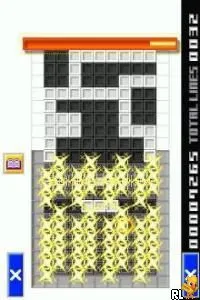
Polarium (Europe) (En,Fr,De,Es,It)
Polarium (Europe) (En,Fr,De,Es,It) - Puzzle Classic
Polarium is a puzzle game released for the Nintendo DS, known for its unique gameplay and minimalist aesthetic. Developed by Mitchell Corporation, it came out in Europe and features multiple language options including English, French, German, Spanish, and Italian. As a title that embraces the puzzle genre, it provides a refreshing take on gameplay mechanics typical of the early 2000s era of handheld gaming.
In Polarium, players are tasked with clearing a grid of tiles by flipping them to match a specific pattern. The game revolves around strategic thinking and planning, as each move impacts the state of the board. Players will often find themselves using spatial reasoning to manipulate the tiles effectively, aiming to clear levels while adhering to the game's increasing complexity and challenges.
This title is worth trying today for its simplicity and engaging gameplay, which can appeal to fans of classic puzzle games. While it may not have the same level of recognition as other Nintendo DS titles, it offers a satisfying experience for those who enjoy honing their problem-solving skills. Polarium fits nicely within the puzzle genre and stands as a testament to the innovative spirit of the Nintendo DS platform, making it a fun addition to any retro gaming collection.
How to Play Polarium (Europe) (En,Fr,De,Es,It) Online
Getting started with Polarium involves selecting a game mode and diving into the puzzles. The core loop focuses on flipping tiles to create a unified pattern across the grid. As you progress, the puzzles become more intricate, requiring thoughtful moves and strategic planning.
New players should familiarize themselves with the mechanics early on. Understanding how each move affects the board is crucial for success. Take your time to experiment with different strategies, as the satisfaction of solving each puzzle builds as you advance through the game.
Polarium (Europe) (En,Fr,De,Es,It) Keyboard Controls
Controls
- Arrow Keys — D-Pad / Movement
- X — A button
- S — B button
- Z — Y button
- A — X button
- Q — L shoulder
- E — R shoulder
- Enter — Start
- V — Select






Comments (0)