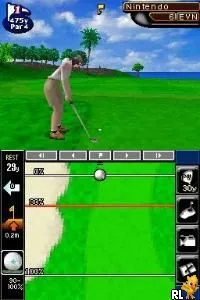
Nintendo Touch Golf - Birdie Challenge (Europe) (En,Ja,Fr,De,Es,It)
Nintendo Touch Golf - Birdie Challenge (Europe) (En,Ja,Fr,De,Es,It): NDS Sports
Nintendo Touch Golf - Birdie Challenge is a sports simulation game released for the Nintendo DS. This title, which came out in Europe, is part of the Touch Golf series and was developed by Nintendo. It allows players to engage in a fun and interactive golfing experience on a handheld platform, leveraging the unique features of the DS hardware.
In this game, players can choose from various characters and courses as they aim to complete holes with the best possible score. The gameplay revolves around using the stylus to control swings and putts, making it a tactile experience that feels fresh compared to traditional golf games. Players can also engage in different modes, including challenges and tournaments, adding variety to the golfing experience.
What makes Nintendo Touch Golf - Birdie Challenge worth trying today is its charming art style and the accessibility it offers to both casual and dedicated gamers. While it may not have the depth of some more complex golf titles, its simplicity and fun factor make it a delightful addition to any retro gaming library. It serves as a great example of how the Nintendo DS utilized touch controls effectively, offering a unique take on the sports genre during its era.
How to Play Nintendo Touch Golf - Birdie Challenge (Europe) (En,Ja,Fr,De,Es,It) Online
To get started in Nintendo Touch Golf - Birdie Challenge, first choose your character and select a course to play on. The game features a variety of golfing challenges, so take a moment to familiarize yourself with the courses and the unique characteristics of each one. As you approach a hole, use the stylus to aim your shot, controlling the power and angle of your swing.
The core loop involves navigating through each hole, aiming for the best score by completing it in as few strokes as possible. Pay attention to the wind conditions and terrain, as they can affect your shots. New players should practice their swings to get a feel for the controls, especially how the stylus impacts the power and direction of the ball. Mastering these mechanics will significantly improve your performance in the game.
Nintendo Touch Golf - Birdie Challenge (Europe) (En,Ja,Fr,De,Es,It) Keyboard Controls
Controls
- Arrow Keys — D-Pad / Movement
- X — A button
- S — B button
- Z — Y button
- A — X button
- Q — L shoulder
- E — R shoulder
- Enter — Start
- V — Select






Comments (0)