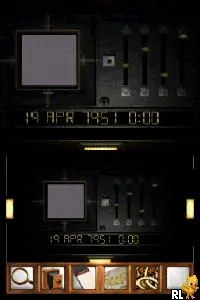
Myst (Europe) (En,Fr,De)
What is Myst (Europe) (En,Fr,De)?
Myst (Europe) (En,Fr,De) for the Nintendo DS is a port of the classic 1993 adventure game developed by Cyan Worlds. Released in Europe, this version brought the beloved puzzle-solving experience to a handheld platform, catering to fans of the original while introducing new players to its unique gameplay. As a point-and-click adventure, it falls neatly into the genre that emphasizes exploration and logic over action and combat.
Gameplay involves navigating through various beautifully rendered environments, solving intricate puzzles, and uncovering the story at your own pace. Players interact with the environment by pointing and clicking on objects, gathering clues, and piecing together the narrative through exploration. The game is renowned for its atmospheric visuals and immersive world, which encourage thoughtful engagement rather than quick reflexes.
Myst holds a significant place in gaming history, often celebrated for its innovative approach to storytelling and puzzle design. Compared to other titles of its time, it stands out due to its focus on solitary exploration and environmental storytelling. While it might not appeal to those seeking fast-paced action, it remains a must-try for anyone interested in narrative-driven games and puzzle-solving experiences.
How to Play Myst (Europe) (En,Fr,De) Online
To get started in Myst, begin by exploring the environment around you. The game opens up a mysterious island, and your first task is to investigate your surroundings. Pay attention to details as they often hold clues to the puzzles you will encounter.
Engaging with objects in the environment is key. You will find books, mechanisms, and various items that require careful examination. The core loop revolves around solving puzzles to unlock new areas and progress the story, so take your time and think logically about the challenges presented to you.
Myst (Europe) (En,Fr,De) Keyboard Controls
Controls
- Arrow Keys — D-Pad / Movement
- X — A button
- S — B button
- Z — Y button
- A — X button
- Q — L shoulder
- E — R shoulder
- Enter — Start
- V — Select
Comments (0)