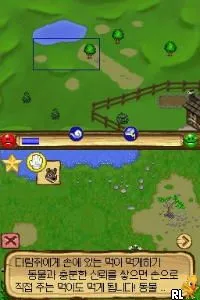
MySims - Simdeurui Wangguk (Korea)
Inside MySims - Simdeurui Wangguk (Korea)
MySims - Simdeurui Wangguk is a localized version of the popular MySims series, released on the Nintendo DS. This title, specifically tailored for the Korean market, falls under the simulation genre and is part of a broader franchise developed by Electronic Arts. While detailed documentation on the specific developers of this localized version is scarce, the original MySims franchise is known for its charming take on life simulation gameplay, where players create and manage their own towns and characters.
In this game, players engage in a variety of activities that revolve around building and customizing their own Sims characters and the environment they inhabit. The gameplay encourages creativity and exploration, allowing players to design homes, interact with other Sims, and complete various tasks to improve their town. Players utilize touch controls on the DS to navigate the game world, make selections, and interact with objects, which aligns with common mechanics found in simulation games of the era.
MySims - Simdeurui Wangguk is worth exploring for fans of the simulation genre, particularly those who appreciate the unique aesthetic and charm of the MySims series. While it may not be as complex as other life simulation titles, its simplicity can be appealing for casual gamers and younger audiences. As part of the DS library, it holds a special niche, offering a lighthearted and enjoyable experience that stands in contrast to more intense gaming options available on the platform.
How to Play MySims - Simdeurui Wangguk (Korea) Online
To get started in MySims - Simdeurui Wangguk, players will first create their own Sims character, customizing their appearance and traits. After character creation, the game introduces players to their town, where they can begin to interact with various objects and other Sims. The core loop involves completing tasks, gathering resources, and designing spaces to enhance the town's appeal.
As players progress, they will unlock new items and features that allow for greater customization of both their Sims and their surroundings. It's essential to engage with the environment and other characters to fully experience the game's charm. Players should also pay attention to the various tasks and missions, as these will guide them through the gameplay and help them develop their town effectively.
MySims - Simdeurui Wangguk (Korea) Keyboard Controls
Controls
- Arrow Keys — D-Pad / Movement
- X — A button
- S — B button
- Z — Y button
- A — X button
- Q — L shoulder
- E — R shoulder
- Enter — Start
- V — Select






Comments (0)