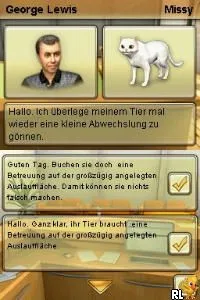
My Pet Beauty Salon (Europe) (En,Fr,De,Es,It)
Inside My Pet Beauty Salon (Europe) (En,Fr,De,Es,It)
My Pet Beauty Salon (Europe) (En,Fr,De,Es,It) is a simulation game released on the Nintendo DS. This title invites players into the world of pet grooming, offering a lighthearted experience that caters to younger audiences. Although the specific developer is not widely documented, the game fits well within the genre conventions of pet simulation titles popular during the DS era.
Gameplay revolves around managing a beauty salon for pets, where players undertake tasks like washing, grooming, and styling various animals. The mechanics typically involve using the stylus to interact with the touch screen, making the experience engaging for those who enjoy hands-on gameplay. Players can expect to care for different types of pets while customizing their appearances and providing an enjoyable salon experience.
Today, My Pet Beauty Salon offers a nostalgic glimpse into the pet simulation genre that thrived on the DS. While it might not have the depth of more prominent titles, its charm lies in its simplicity and accessibility. For fans of simulation games looking for something light and fun, this title serves as a quaint reminder of the genre's appeal during the handheld console's heyday.
How to Play My Pet Beauty Salon (Europe) (En,Fr,De,Es,It) Online
Getting started in My Pet Beauty Salon involves selecting your first pet and diving into the grooming tasks. The core gameplay loop consists of washing, drying, and styling your pets, which can be achieved by following on-screen prompts. As you progress, you can unlock new grooming tools and styles to expand your salon's offerings.
Familiarize yourself with the touch screen controls, as they are essential for performing various grooming actions. Pay attention to the preferences of each pet, as different animals may have unique requests or reactions. This attention to detail will help you succeed in creating a popular pet salon.
My Pet Beauty Salon (Europe) (En,Fr,De,Es,It) Keyboard Controls
Controls
- Arrow Keys — D-Pad / Movement
- X — A button
- S — B button
- Z — Y button
- A — X button
- Q — L shoulder
- E — R shoulder
- Enter — Start
- V — Select






Comments (0)