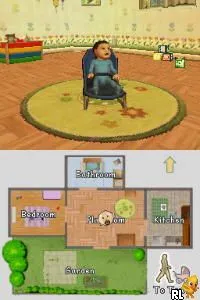
My Little Baby (Germany) (En,De)
About My Little Baby (Germany) (En,De)
My Little Baby (Germany) (En,De) is a simulation game released for the Nintendo DS. It was developed by a team that remains unspecified and was released in Europe. The game falls into the educational genre, focusing on nurturing and caring for a virtual baby, which was a popular theme in the casual gaming scene during the DS era.
In this title, players take on the role of a caregiver, engaging in various activities to raise their virtual baby. The gameplay revolves around fulfilling the baby's needs, such as feeding, changing, and playing, to ensure its happiness and well-being. Players are encouraged to interact with the baby through touch and stylus controls, which were a hallmark of DS gameplay, making the experience more immersive.
Despite being a niche title, My Little Baby offers a unique glimpse into the simulation genre of its time. It stands alongside other similar games that aimed to provide a gentle, family-friendly experience. While it may not be as widely recognized as other blockbuster titles, it holds a place in the hearts of players who appreciate the simplicity and charm of nurturing games on the Nintendo DS.
How to Play My Little Baby (Germany) (En,De) Online
Getting started in My Little Baby involves selecting your baby and diving into the various nurturing activities available. You'll begin by addressing fundamental needs like feeding and changing diapers, which are crucial for keeping your virtual baby happy. The core loop revolves around balancing these tasks while engaging in playful interactions that help develop the baby's mood and satisfaction.
As you progress, you'll unlock new activities and items that enhance the gameplay experience. Keeping an eye on your baby's happiness meter is essential, as neglecting their needs can lead to a decrease in happiness. Familiarizing yourself with the various tasks and how they interconnect will help you create a joyful environment for your virtual child.
My Little Baby (Germany) (En,De) Keyboard Controls
Controls
- Arrow Keys — D-Pad / Movement
- X — A button
- S — B button
- Z — Y button
- A — X button
- Q — L shoulder
- E — R shoulder
- Enter — Start
- V — Select






Comments (0)