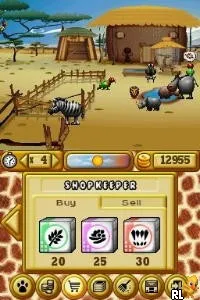
My Farm Around the World (USA) (En,Fr)
My Farm Around the World (USA) (En,Fr) Overview
My Farm Around the World (USA) (En,Fr) is a simulation game released for the Nintendo DS. The game allows players to manage a farm while exploring various locations around the globe. It was developed for the DS platform, which was popular for its touchscreen capabilities and casual gaming experiences, though specific details about the developer remain unclear.
In this game, players engage in various farming activities, including planting crops, raising animals, and managing resources. The gameplay loop revolves around completing tasks to expand the farm and unlock new features. Players can interact with the environment and make choices that impact their farming success, which is a hallmark of the simulation genre, encouraging creativity and strategy.
While My Farm Around the World may not be as widely recognized as some other DS titles, it offers a unique blend of farming simulation with an international twist. For fans of the genre, it presents a chance to experience farming mechanics in a light-hearted, accessible way. It fits well within the library of casual games on the DS and can be a nice diversion for those looking for a simple yet engaging gameplay experience.
How to Play My Farm Around the World (USA) (En,Fr) Online
Getting started in My Farm Around the World involves selecting your farm location and customizing your character. You’ll begin with a small plot of land and a few basic resources. As you progress, you can plant crops, care for animals, and expand your farming operations.
The core gameplay loop consists of managing your time effectively to cultivate crops and raise livestock. Completing tasks such as harvesting and selling produce will earn you currency that you can reinvest into your farm. Familiarity with the simulation genre will help, as players often need to balance different aspects of farm management to succeed.
My Farm Around the World (USA) (En,Fr) Keyboard Controls
Controls
- Arrow Keys — D-Pad / Movement
- X — A button
- S — B button
- Z — Y button
- A — X button
- Q — L shoulder
- E — R shoulder
- Enter — Start
- V — Select






Comments (0)