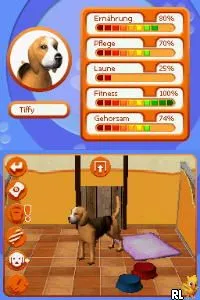
My Dogs Paradise (Europe) (En,Fr,De,Es,It,Nl)
My Dogs Paradise (Europe) (En,Fr,De,Es,It,Nl) Overview
My Dogs Paradise is a simulation game for the Nintendo DS that was released in Europe. This title allows players to engage in pet care activities, focusing on dogs. While specific development details are scarce, the game fits within the genre conventions of pet simulation games popular during the DS era.
In My Dogs Paradise, players take on the role of a dog owner, caring for their virtual pets through various activities. The gameplay involves feeding, grooming, and training dogs, which is typical for simulation games of this type. Players can interact with their dogs in different ways, aiming to build a bond and keep them happy, reflecting the fundamental mechanics found in similar titles.
This game is worth a try for those who enjoy light-hearted simulation experiences. While it may not offer the depth of some other titles in the genre, it captures the essence of pet care and provides a relaxing gameplay loop. Fans of the Nintendo DS library will appreciate its charm, though it appeals more to niche audiences looking for simple, enjoyable gameplay rather than intense challenges.
How to Play My Dogs Paradise (Europe) (En,Fr,De,Es,It,Nl) Online
Getting started in My Dogs Paradise involves first selecting your dog and customizing its appearance. Once you have your virtual pet, the core gameplay revolves around daily care tasks such as feeding, grooming, and playing. Players can explore various activities to enhance their dog's happiness and health, which is central to the game's objective.
As you progress, you'll unlock new features and locations that enrich the experience. Keeping your dog happy and engaged is key, and you'll often find yourself repeating activities to maintain that bond. Understanding the rhythm of pet care in this simulation will help new players ease into the gameplay and enjoy the casual pace.
My Dogs Paradise (Europe) (En,Fr,De,Es,It,Nl) Keyboard Controls
Controls
- Arrow Keys — D-Pad / Movement
- X — A button
- S — B button
- Z — Y button
- A — X button
- Q — L shoulder
- E — R shoulder
- Enter — Start
- V — Select






Comments (0)