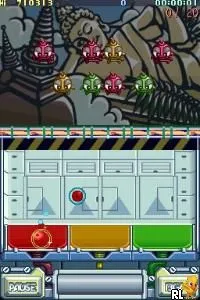
Monster Bomber (Europe) (En,Fr,De,Es,It)
Monster Bomber (Europe) (En,Fr,De,Es,It) Overview
Monster Bomber (Europe) (En,Fr,De,Es,It) is a puzzle game for the Nintendo DS that was released in Europe. The game is developed by an unknown creator and is part of the broader puzzle genre that gained popularity on handheld consoles during the mid-2000s. While specific details about the development team are not widely documented, the game showcases the typical mechanics and charm of its era.
In Monster Bomber, players engage in strategic gameplay centered around bomb placement and puzzle-solving. The core mechanics involve navigating through various levels while using bombs to defeat enemies or clear obstacles. Players need to think critically about their moves, as each level presents unique challenges that require a blend of timing and strategy to overcome.
This title is worth exploring for those who enjoy classic puzzle games and appreciate the genre's evolution on handheld devices. While it may not have the same recognition as some of its contemporaries, Monster Bomber offers a nostalgic experience that resonates with fans of retro gaming. Its simple yet engaging gameplay makes it a suitable choice for quick gaming sessions, allowing both newcomers and veterans to enjoy its charm.
How to Play Monster Bomber (Europe) (En,Fr,De,Es,It) Online
To start playing Monster Bomber, select your desired game mode from the main menu. The game provides a series of levels where you will need to use bombs to defeat enemies and solve puzzles. As you progress, the levels will require more strategic thinking and planning.
The core loop involves navigating through each level, placing bombs to defeat foes, and solving environmental puzzles that may block your path. Keep an eye on your bomb placement and timing to effectively clear each stage. Understanding the patterns of enemies and the layout of each level will greatly enhance your chances of success.
Monster Bomber (Europe) (En,Fr,De,Es,It) Keyboard Controls
Controls
- Arrow Keys — D-Pad / Movement
- X — A button
- S — B button
- Z — Y button
- A — X button
- Q — L shoulder
- E — R shoulder
- Enter — Start
- V — Select






Comments (0)