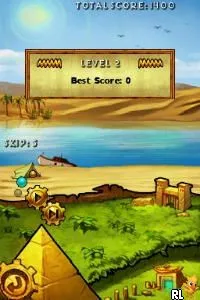
Logic Machines (Europe) (En,Fr,De,Es,It)
About Logic Machines (Europe) (En,Fr,De,Es,It)
Logic Machines is a puzzle game released for the Nintendo DS in Europe. The game is known for its engaging logic-based challenges, appealing to fans of the genre. Though details about its developer are not widely documented, the game fits neatly into the puzzle category typical of the DS era, which was known for its innovative use of touch controls and dual screens.
In Logic Machines, players tackle a variety of puzzles that require strategic thinking and problem-solving skills. The gameplay revolves around manipulating various elements on the screen to achieve specific goals, often within a limited number of moves. Each level presents a unique challenge, encouraging players to think critically and experiment with different solutions.
This title is worth trying if you're a fan of puzzle games, especially those that emphasize logic and strategy. While it may not be as iconic as some other DS titles, it offers a solid experience for those who enjoy a good mental workout. Compared to other puzzle games of its time, Logic Machines stands out for its simplicity and accessibility, making it a nice addition to any retro gaming collection.
How to Play Logic Machines (Europe) (En,Fr,De,Es,It) Online
Getting Started: To begin playing Logic Machines, start by selecting a puzzle from the main menu. The game typically presents a series of levels that increase in difficulty, so it’s a good idea to start with the early ones to get a feel for the mechanics. Each puzzle requires you to manipulate the elements on the screen to solve the challenge at hand.
As you progress, pay attention to the rules or constraints of each level. The core loop involves figuring out how to achieve the goal using the least number of moves, which can lead to a satisfying sense of accomplishment. Experimentation is key; don't be afraid to try different approaches to see what works.
Logic Machines (Europe) (En,Fr,De,Es,It) Keyboard Controls
Controls
- Arrow Keys — D-Pad / Movement
- X — A button
- S — B button
- Z — Y button
- A — X button
- Q — L shoulder
- E — R shoulder
- Enter — Start
- V — Select






Comments (0)