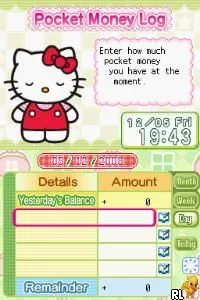
Hello Kitty - Daily (Europe)
What is Hello Kitty - Daily (Europe)?
Hello Kitty - Daily (Europe) is a charming title for the Nintendo DS that falls under the simulation genre. Released in Europe, this game is part of a series featuring the beloved Sanrio character, Hello Kitty. While the specific developer and publisher details are not widely documented, the game showcases the typical lighthearted and engaging nature of Hello Kitty-themed games from this era.
In Hello Kitty - Daily, players engage in various mini-games and activities that revolve around daily life scenarios with Hello Kitty and her friends. The gameplay is structured around completing tasks and challenges, which can include cooking, gardening, and other fun, everyday activities. The game encourages creativity and interaction, making it appealing for younger audiences and fans of the franchise.
This title is worth exploring for fans of simulation games or those who have a soft spot for Hello Kitty. While it may not have the depth of more complex titles, its simplicity and charm make it a delightful experience. It stands alongside other casual games of the Nintendo DS era, offering a lighthearted escape that is both nostalgic and enjoyable, especially for those who appreciate the character's iconic appeal.
How to Play Hello Kitty - Daily (Europe) Online
Getting Started: To begin playing Hello Kitty - Daily, start by selecting a new game from the main menu. The game will guide you through various activities and challenges that are reflective of daily life, so keep an eye on the tasks presented to you.
As you progress, you'll find that the core loop consists of completing various mini-games that require different skills. Familiarize yourself with the controls, as they will help you navigate through tasks efficiently. Each activity is designed to be engaging and accessible, making it easy for newcomers to quickly pick up and play.
Hello Kitty - Daily (Europe) Keyboard Controls
Controls
- Arrow Keys — D-Pad / Movement
- X — A button
- S — B button
- Z — Y button
- A — X button
- Q — L shoulder
- E — R shoulder
- Enter — Start
- V — Select






Comments (0)