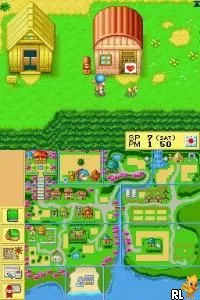
Harvest Moon DS (USA) (Rev 1)
Harvest Moon DS (USA) (Rev 1) Overview
Harvest Moon DS (USA) (Rev 1) is a farming simulation game released for the Nintendo DS. It is a revision of the original Harvest Moon DS, which was developed by Marvelous Interactive. This title allows players to manage a farm, build relationships, and partake in various activities, typical of the simulation genre during the DS era.
In Harvest Moon DS, players take on the role of a farmer who must cultivate crops, raise animals, and interact with townsfolk. The gameplay revolves around daily tasks such as planting seeds, watering crops, and participating in seasonal festivals. Players also have the opportunity to build friendships and potentially marry within the game's community, which adds a social simulation aspect to the farming mechanics.
This title is worth exploring for fans of the farming simulation genre, especially those who appreciate the charm of the Harvest Moon series. While it may not have the depth of some modern farming sims, it offers a nostalgic experience that captures the essence of life on a farm. Additionally, its unique features and the ability to connect with characters make it a notable entry in the DS library, appealing to both new players and longtime fans alike.
How to Play Harvest Moon DS (USA) (Rev 1) Online
Getting started in Harvest Moon DS involves choosing your character and learning the basics of farm management. Players will begin by clearing land, planting crops, and taking care of livestock. The core gameplay loop consists of daily tasks that repeat throughout the seasons, making time management an essential skill.
As you progress, you'll unlock new tools and resources, allowing for more complex farming strategies. Building relationships with townspeople is also key—attending festivals and giving gifts can enhance these connections. Understanding the seasons and how they affect crop growth and animal care is crucial for maximizing your farm's success.
Harvest Moon DS (USA) (Rev 1) Keyboard Controls
Controls
- Arrow Keys — D-Pad / Movement
- X — A button
- S — B button
- Z — Y button
- A — X button
- Q — L shoulder
- E — R shoulder
- Enter — Start
- V — Select






Comments (0)