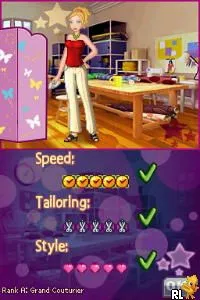
Fashion Designer - Style Icon (Europe) (En,Fr,De,Es,It)
Inside Fashion Designer - Style Icon (Europe) (En,Fr,De,Es,It)
Fashion Designer - Style Icon (Europe) is a simulation game for the Nintendo DS that was released in the mid-2000s. It was developed for a niche audience interested in fashion and design, allowing players to create their own clothing lines and participate in fashion shows. While not as widely known as some other titles, it fits into the simulation genre, which was quite popular on the DS platform during this era.
In the game, players take on the role of a fashion designer, where they can create outfits, choose fabrics, and even style models for fashion shows. The mechanics revolve around customizing designs and participating in various fashion-related activities. Players can unlock new items as they progress, allowing for greater creativity and personalization in their designs, which is a key aspect of simulation games from this period.
Today, Fashion Designer - Style Icon is worth trying for those who enjoy simulation games or have an interest in fashion design. It offers a unique perspective compared to other titles of its time, focusing specifically on creativity and personalization rather than action or adventure. While it may not have the depth or polish of some mainstream games, it serves as a charming representation of the fashion genre on the Nintendo DS, appealing to a specific audience of retro gaming enthusiasts.
How to Play Fashion Designer - Style Icon (Europe) (En,Fr,De,Es,It) Online
Getting started in Fashion Designer - Style Icon involves creating your designer profile and diving into the world of fashion. You'll begin by selecting your initial designs and learning the basics of the game mechanics. As you progress, focus on experimenting with different styles and fabrics to develop your unique fashion line.
The core loop revolves around creating outfits, preparing for fashion shows, and receiving feedback. Pay attention to trends and audience preferences to maximize your success in the game. Engaging with the fashion community within the game allows you to unlock new items and features, enhancing your gameplay experience.
Fashion Designer - Style Icon (Europe) (En,Fr,De,Es,It) Keyboard Controls
Controls
- Arrow Keys — D-Pad / Movement
- X — A button
- S — B button
- Z — Y button
- A — X button
- Q — L shoulder
- E — R shoulder
- Enter — Start
- V — Select






Comments (0)