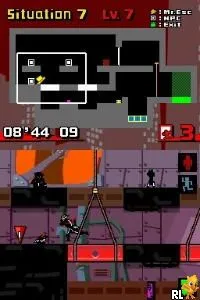
Exit DS (Europe) (En,Ja,Fr,De,Es,It)
Getting to Know Exit DS (Europe) (En,Ja,Fr,De,Es,It)
Exit DS (Europe) (En,Ja,Fr,De,Es,It) is a puzzle-platformer game released for the Nintendo DS. Developed by Taito, this title was part of a series that originally gained popularity in arcades. It offers players a unique blend of strategy and action, utilizing the DS's touchscreen capabilities to create an engaging gameplay experience.
In Exit DS, players take on the role of a stylish character tasked with rescuing trapped individuals from various dangerous environments. The gameplay revolves around navigating through levels filled with obstacles and hazards, using a combination of jumping, climbing, and strategic planning to guide the characters to safety. Each level presents distinct challenges, requiring players to think critically about their approach to escape.
Despite being a niche title, Exit DS holds a special place in the realm of puzzle-platformers. Its unique art style and challenging puzzles make it a worthwhile experience for fans of the genre. While it may not have the recognition of mainstream titles, it offers a refreshing alternative for players looking to explore lesser-known gems on the Nintendo DS.
How to Play Exit DS (Europe) (En,Ja,Fr,De,Es,It) Online
Getting Started: To begin playing Exit DS, start by selecting a level from the main menu. The game features a series of increasingly complex stages, so it's advisable to familiarize yourself with the controls and mechanics in the early levels. As you progress, observe the layout and plan your moves carefully to ensure the safe escape of the characters.
The core loop involves navigating through environments, solving puzzles, and rescuing trapped individuals. Each level requires strategic thinking, as players must determine the best route and actions to take. Pay attention to the hazards that may impede your progress, and use the tools at your disposal to overcome challenges. Mastering the gameplay mechanics will enhance your overall experience.
Exit DS (Europe) (En,Ja,Fr,De,Es,It) Keyboard Controls
Controls
- Arrow Keys — D-Pad / Movement
- X — A button
- S — B button
- Z — Y button
- A — X button
- Q — L shoulder
- E — R shoulder
- Enter — Start
- V — Select






Comments (0)