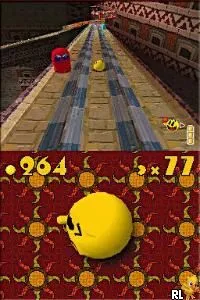
Escape the Museum (Europe) (En,Fr,Nl)
Escape the Museum (Europe) (En,Fr,Nl): NDS Puzzle
Escape the Museum (Europe) (En,Fr,Nl) is a puzzle-adventure game developed for the Nintendo DS. Released in the mid-2000s, this title invites players to solve various puzzles within a museum setting. While specific developer details are not widely documented, the game is notable for its multi-language support, catering to English, French, and Dutch players.
In this game, players navigate through museum exhibits, solving a series of challenges and puzzles to progress. The gameplay revolves around exploration, item collection, and logical problem-solving, which is typical for adventure games of its time. Players must interact with the environment, gather clues, and utilize items creatively to escape the museum before time runs out.
Escape the Museum may not be as widely recognized as other DS titles, but it offers a unique experience for fans of the genre. It stands alongside other puzzle-adventure games, presenting a charming yet straightforward challenge. While it may not have the depth of some blockbuster titles, its simplicity and engaging puzzles make it a worthwhile addition to any retro gaming collection.
How to Play Escape the Museum (Europe) (En,Fr,Nl) Online
Getting started in Escape the Museum involves familiarizing yourself with the controls and understanding the layout of the museum. Players typically start by exploring different rooms, looking for items and clues that will help unlock further areas. The core loop consists of solving puzzles and interacting with the environment to progress through the game.
As you delve deeper into the museum, keep an eye on your surroundings for hints and items that can be combined or used to solve challenges. The game encourages experimentation with various objects, so don’t hesitate to try different approaches to see what works. Remember, patience and observation are key to escaping successfully.
Escape the Museum (Europe) (En,Fr,Nl) Keyboard Controls
Controls
- Arrow Keys — D-Pad / Movement
- X — A button
- S — B button
- Z — Y button
- A — X button
- Q — L shoulder
- E — R shoulder
- Enter — Start
- V — Select






Comments (0)