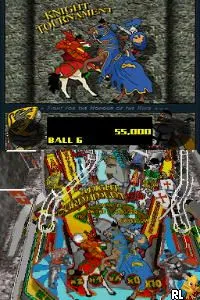
Dream Pinball 3D (Europe) (En,Fr,De,Es,It)
Getting to Know Dream Pinball 3D (Europe) (En,Fr,De,Es,It)
Dream Pinball 3D is a pinball simulation game released on the Nintendo DS, specifically in the European region. It was developed by a team known for creating engaging arcade-style games. This title stands out in the genre of simulation games, offering a virtual pinball experience tailored for handheld play.
In Dream Pinball 3D, players engage with various pinball tables, each featuring unique themes and designs. The core gameplay involves launching the pinball, controlling flippers, and aiming for targets to rack up points. The game captures the essence of traditional pinball mechanics while adding a digital twist, allowing for a more dynamic and interactive experience.
This title is worth exploring for fans of classic pinball, especially those nostalgic for the arcade era. While it may not have the depth or complexity of more well-known titles, it serves as a fun diversion for casual play. Dream Pinball 3D fits nicely into the DS library, offering a lighthearted gaming experience that can be enjoyed in short bursts, making it perfect for portable gaming.
How to Play Dream Pinball 3D (Europe) (En,Fr,De,Es,It) Online
To get started with Dream Pinball 3D, players should first choose a pinball table from the available options. Each table has distinct features and objectives, so exploring them can help familiarize you with the gameplay. Once a table is selected, the goal is to keep the pinball in play while aiming for various targets to accumulate points.
The core loop involves launching the pinball and using the flippers to keep it in motion. Players should pay attention to the specific mechanics of each table, as they often include ramps, bumpers, and special bonuses. Mastering the timing and angles of the flippers will improve your chances of achieving high scores and unlocking new features.
Dream Pinball 3D (Europe) (En,Fr,De,Es,It) Keyboard Controls
Controls
- Arrow Keys — D-Pad / Movement
- X — A button
- S — B button
- Z — Y button
- A — X button
- Q — L shoulder
- E — R shoulder
- Enter — Start
- V — Select






Comments (0)