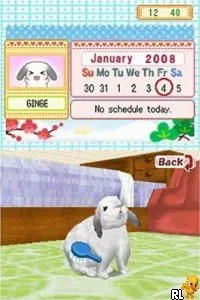
Bunnyz (Europe) (En,Fr,De,Es,It,Nl)
About Bunnyz (Europe) (En,Fr,De,Es,It,Nl)
Bunnyz (Europe) (En,Fr,De,Es,It,Nl) is a simulation game released for the Nintendo DS. This title allows players to interact with adorable bunnies, providing a casual and engaging experience. While specific details about the developer and publisher are not widely documented, the game fits within the family-friendly genre typical of many DS titles released around the mid-2000s.
In Bunnyz, players are tasked with caring for their bunnies, which involves feeding, playing, and grooming them. The game employs a straightforward interface, allowing for easy navigation through various activities. Players can customize their bunnies and engage in mini-games that revolve around nurturing and taking care of these virtual pets, making it an enjoyable experience for younger audiences or those looking for a relaxing game.
Today, Bunnyz holds a niche appeal as a light-hearted simulation game on the DS. While it may not be as critically acclaimed as other titles from the era, it offers a unique charm that can still resonate with fans of pet simulation games. Its simplicity and focus on caring for virtual pets make it a suitable title for anyone looking to unwind, especially in a gaming landscape filled with more action-heavy options.
How to Play Bunnyz (Europe) (En,Fr,De,Es,It,Nl) Online
To get started in Bunnyz, first select the type of bunny you want to raise. After customizing your bunny’s appearance, you will enter the main gameplay area where you can interact with your pet. The core loop involves checking on your bunny’s needs, playing mini-games, and ensuring it stays happy and healthy.
As you progress, you’ll unlock new items and activities to enhance your bunny’s environment. Pay attention to your bunny’s mood and needs, as this will affect gameplay. Engaging with the various mini-games and customization options will keep the experience fresh, making it enjoyable for both new and returning players.
Bunnyz (Europe) (En,Fr,De,Es,It,Nl) Keyboard Controls
Controls
- Arrow Keys — D-Pad / Movement
- X — A button
- S — B button
- Z — Y button
- A — X button
- Q — L shoulder
- E — R shoulder
- Enter — Start
- V — Select






Comments (0)