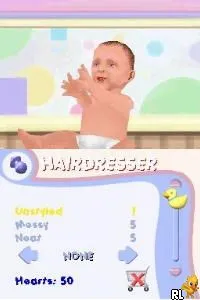
Baby Pals (Europe) (En,Fr,De,Es,It)
Inside Baby Pals (Europe) (En,Fr,De,Es,It)
Baby Pals (Europe) (En,Fr,De,Es,It) is a charming title for the Nintendo DS, released in Europe. This game belongs to the simulation genre and is designed for younger audiences, focusing on interactive play with virtual babies. While specific details about the developer are not widely documented, the game's approachable mechanics cater to a family-friendly gaming experience that was popular during the DS's heyday.
In Baby Pals, players engage in a variety of mini-games centered around the care and nurturing of adorable virtual babies. The gameplay involves activities like feeding, playing, and bathing the babies, which help players develop a sense of responsibility. The game is structured around simple tasks that are easy to grasp, making it accessible to younger players or those new to gaming.
This title holds a special place in the collection of simulation games on the DS, offering a gentle introduction to game mechanics for kids. While it may not be as complex or feature-rich as some other titles in the genre, its simplicity and focus on nurturing gameplay make it a unique experience. Baby Pals provides a nostalgic trip for parents who enjoyed similar games in their youth, while also serving as a fun, safe space for new gamers to explore.
How to Play Baby Pals (Europe) (En,Fr,De,Es,It) Online
Getting Started: To begin playing Baby Pals, start by selecting a mini-game from the main menu. Each game focuses on caring for the babies, so choose one that interests you. The core loop involves performing tasks like feeding or playing, which will unlock additional content as you progress.
As you play, pay attention to the needs of the babies displayed on the screen. Completing tasks successfully will often lead to rewards or new challenges. Keep an eye on their happiness levels, as this will guide your actions and help you achieve better results in the game.
Baby Pals (Europe) (En,Fr,De,Es,It) Keyboard Controls
Controls
- Arrow Keys — D-Pad / Movement
- X — A button
- S — B button
- Z — Y button
- A — X button
- Q — L shoulder
- E — R shoulder
- Enter — Start
- V — Select






Comments (0)