Nintendo World Cup (USA, Europe)
Inside Nintendo World Cup (USA, Europe)
Nintendo World Cup for Game Boy is a sports video game that was released in the early 1990s. Developed by Technos Japan and published by Nintendo, this title blends soccer mechanics with arcade-style gameplay, typical of the genre during that era. The game was made available in both the USA and Europe, appealing to fans of sports games on handheld consoles.
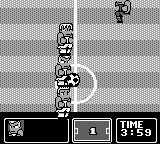
In Nintendo World Cup, players engage in fast-paced soccer matches, controlling a team of characters that represent various countries. The gameplay emphasizes quick reflexes and strategic passing, allowing players to execute special moves and score points. Matches are typically played in a top-down perspective, with a focus on arcade-style mechanics rather than realistic simulations, which was common for sports titles on the Game Boy.
This game is worth experiencing today, especially for those who appreciate retro sports games. While it may not boast the depth of modern soccer titles, its simple yet engaging gameplay provides a nostalgic trip back to the early days of handheld gaming. It holds a unique charm, especially when compared to more complex sports simulations, making it a fun diversion for both casual players and retro enthusiasts alike.
How to Play Nintendo World Cup (USA, Europe) Online
To get started in Nintendo World Cup, begin by selecting your team from various countries. The matches are structured in a tournament format, so you will need to play through rounds to ultimately win the championship. Familiarize yourself with the controls, as executing special moves can give you an edge against your opponents.
As you play, focus on mastering the timing of your passes and shots. The core loop revolves around moving the ball around the field, attempting to score while defending against the opposing team. Timing and strategy are key, so practice will help you improve your skills and enjoy the game more fully.
Nintendo World Cup (USA, Europe) Keyboard Controls
Controls
- Arrow Keys — D-Pad / Movement
- X — A button (jump / confirm)
- S — B button (run / attack / cancel)
- Enter — Start / Pause
- V — Select






Comments (0)