Brainbender (Europe)
Inside Brainbender (Europe)
Brainbender is a puzzle game that was released for the Game Boy in Europe. It was developed during the classic era of handheld gaming, a time when the Game Boy was popular for its portability and library of unique titles. As a puzzle game, it invites players to engage their minds rather than relying on fast reflexes or combat mechanics, which were common in many other games of the time.
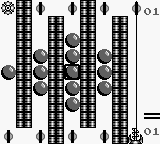
In Brainbender, players tackle a series of challenging puzzles that require logical thinking and problem-solving skills. The gameplay revolves around manipulating various elements on the screen to achieve specific goals, often within a limited number of moves or time constraints. This structure encourages players to think critically about their actions and consider multiple approaches to solve each puzzle effectively.
What makes Brainbender an interesting title today is its simplicity and the way it encapsulates the spirit of early puzzle games. It offers a nostalgic trip for those who enjoy classic gaming experiences without the complexities often found in modern titles. While it may not be as widely recognized as some of its contemporaries, it holds a place in the hearts of puzzle enthusiasts and is a great example of the genre's early days on handheld platforms.
How to Play Brainbender (Europe) Online
To get started in Brainbender, select your game mode from the main menu. The game offers various levels of increasing difficulty, so it is advisable to start with the easier ones to get accustomed to the mechanics. You'll primarily be solving puzzles that require logical thinking and planning ahead.
The core loop involves analyzing each puzzle, determining the best approach to solve it, and executing your plan within the constraints provided. As you progress, the puzzles will become more complex, often introducing new elements that require you to adapt your strategies. Familiarize yourself with the controls to navigate efficiently and tackle challenges as they arise.
Brainbender (Europe) Keyboard Controls
Controls
- Arrow Keys — D-Pad / Movement
- X — A button (jump / confirm)
- S — B button (run / attack / cancel)
- Enter — Start / Pause
- V — Select






Comments (0)