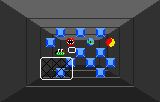
The game loads when you press Play · press “Play Now” inside the game if it asks.
Robo-Squash (USA, Europe)
Robo-Squash
Robo-Squash Overview
- ATARI Lynx
- Sports
- 5· 0 votes
Robo-Squash hit the Atari Lynx in 1990, published by Atari Corporation. It's an action-sports title that blends futuristic robot combat with the basics of racket sports. The Lynx, with its vivid color screen and portable arcade feel, was a natural home for this kind of fast-paced head-to-head game.
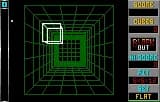
The player controls a robot in a one-on-one squash-like arena. You volley a ball back and forth, trying to outmaneuver your opponent with quick shots and smart positioning. Matches move at a brisk pace, demanding sharp reflexes. A single-player mode pits you against an AI, while a two-player option via the Lynx link cable adds competitive depth.
Today, Robo-Squash stands as a quirky part of the Lynx library. It captures the late-80s fascination with robot sports and offers a solid, if simple, competitive experience. If you enjoy early handheld sports games with a sci-fi twist, it's worth a few rounds, though more casual fans might find it too niche.
GAME INFO
- Platform
- ATARI Lynx
- Genre
- Sports
- Publisher
- Atari Corporation
- Released
- 1990
- Region
- USA, Europe
How to play Robo-Squash online
Getting Started
When you boot up Robo-Squash, you'll see a title screen and a menu. Choose single player to face the computer or two player for link cable action. Use the D-pad to move your robot around the court and press the assigned action button to swing your racket at the ball. The core loop is simple: serve the ball, then volley with your opponent. Land the ball in their court without them returning it to score points. The first to reach the target score wins. Watch the ball's trajectory and position your robot accordingly. A few tips: timing your swing is key - swing too early or late and you'll miss. Quick taps on the D-pad let you adjust your position rapidly. There are no complicated power-ups or special moves; success comes from good footwork and anticipation.CONTROLS
Controls
- Arrow Keys: D-Pad / Movement
- X: A button
- S: B button
- Q: Option 1
- E: Option 2
- Enter: Pause
Robo-Squash FAQ
Which regions was Robo-Squash released in?
Robo-Squash saw release in North America and Europe, making it accessible to Atari Lynx owners across both territories. There is no known Japanese version.
Is Robo-Squash an official release, a fan hack, a prototype, or another kind of build?
This is an official Atari Corporation release from 1990, not a hack, prototype, or homebrew. It was commercially published for the Lynx handheld.
Who developed Robo-Squash?
The developer of Robo-Squash is not widely documented in standard sources. Atari Corporation published the game, but the specific development studio or team behind it remains unclear.
You may also like
All ATARI Lynx games

GAME INFO
- Platform
- ATARI Lynx
- Genre
- Sports
- Publisher
- Atari Corporation
- Released
- 1990
- Region
- USA, Europe
COMMENTS (0)
No comments yet. Be the first to share your thoughts.